
Focus & Huddle Spaces: Small Rooms, Big Collaboration
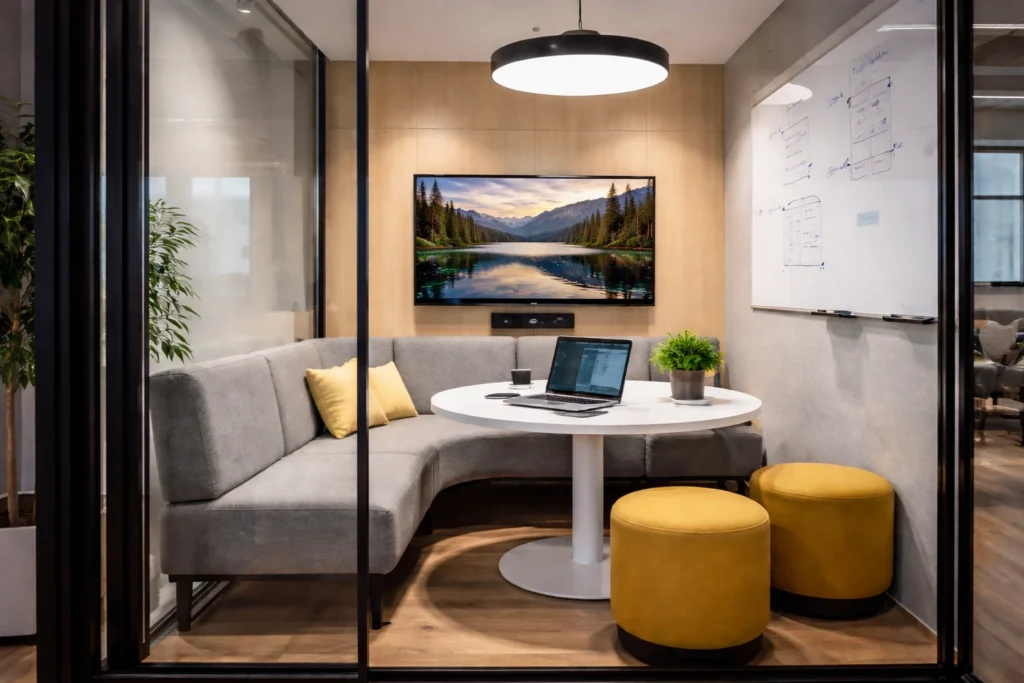
Focus rooms and huddle spaces are now a staple in the modern workplace. These collaborative rooms are designed for short meetings and working sessions; therefore, equipment should also be easy to understand and operate. At the heart of most huddle rooms is video conferencing, where the quality of cameras, microphones and speakers allows for easy engagement and feeling part of the session for remote colleagues, coupled with easy and convenient one-touch meeting joins. Interactive displays create a further layer of collaboration. Within a group, a team can brainstorm, make annotations, and even collaborate in real-time, whether or not all team members are present in the room. The interactive displays promote collaboration without compromising simplicity. To ensure that the space runs smoothly, room booking systems enable the avoidance of double bookings. This reduces cases of unproductive use of time and space. Room availability panels help in improving space occupancy in the office through their easy integration with the office space. Additionally, environments like these can utilise digital signage with meeting room schedules and communications to keep employees informed and on task. When a focus and huddle space are implemented properly, they eliminate confusion and facilitate collaboration. The focus and huddle space technology becomes seamless and helps people concentrate to share their ideas. Speak to our team to find out how we can help design and install huddle space technology that works seamlessly from day one.
5 Questions to Ask Before Starting Your AV Project

Plan Your AV Project with Confidence Whether you’re upgrading a meeting room, rolling out digital signage, or designing a new collaborative workspace, a successful AV project starts with asking the right questions. At Rapid, we’ve seen too many AV installations fall short, not because of poor products, but because they weren’t properly planned. As a UK AV integrator, we help businesses avoid these issues by focusing on the bigger picture from day one. Here are five key questions to ask before you start any AV project. This may seem obvious, but it’s often overlooked. Are you trying to: Defining your goals upfront ensures that every decision, from product choice to room layout supports your desired outcome. 2. Who Will Be Using the System? A sleek control panel or state-of-the-art display is only effective if your team can use it with confidence. Consider: Understanding the user journey helps us design intuitive systems that don’t require constant IT support. 3. How Will the Technology Fit Into the Space? The best AV solution will feel like a natural part of your space. That means thinking about: We’ll work with you to make sure the setup is aesthetic, functional and future-proof, whether you’re fitting out a boardroom, breakout area or huddle space. 4. What’s Your Budget and What’s the Lifecycle? It’s important to look beyond the initial cost. Think about: We’ll help you balance short-term needs with long-term value, ensuring your investment continues to deliver over time. 5. Who’s Managing the Project? An AV installation involves more than just mounting a screen. There’s cabling, network configuration, power requirements, software setup and testing, plus coordination with IT, facilities and sometimes third-party contractors. Choosing an AV partner that offers end-to-end project management ensures your rollout is smooth, on time and on budget. How Rapid Can Help? As a trusted UK AV integrator, we support organisations at every stage of the process, from initial consultation and design, through to installation, training and aftercare. Whether you’re upgrading a single room or implementing tech across multiple sites, we ask the right questions to deliver AV solutions that are: Ready to Talk? If you’re planning an AV project and want practical advice (with no hard sell), we’re here to help. Our experienced team offers free consultations to get you started the right way. Check out our full range of AV services now or Speak to one of our our AV experts today!
Confident Collaboration: Training Teams to Use Interactive Displays Effectively
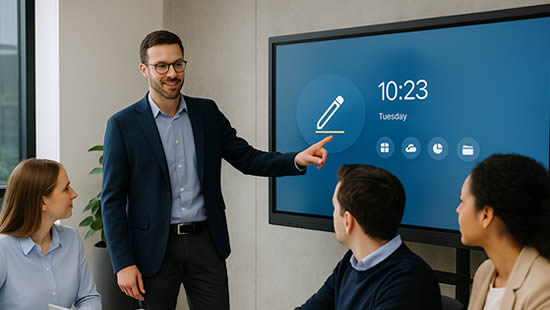
Make the Most of Your Interactive Displays with Hands-On Training Interactive displays have transformed the way we meet, teach and collaborate, whether it’s in boardrooms, classrooms, or hybrid workspaces. But like any piece of AV technology, they’re only effective if your team knows how to use them properly. We often see organisations invest in the latest display technology, whether it’s a Microsoft Surface Hub, Clevertouch, SMART Board, Yealink displays etc, only to find it underused. Staff may stick to old habits, avoid engaging features, or lack confidence to run a session without support. That’s where hands-on training from an experienced AV integrator makes all the difference. Why Training on Interactive Displays Matters Interactive displays are designed to encourage participation and improve engagement. But without proper training, users can miss out on key features like: Instead of empowering creativity and productivity, the tech ends up being just another screen. With hands-on training, teams feel confident and capable, ready to fully engage with the tools available to them. What Our Interactive Display Training Covers At Rapid, we provide on-site and remote training sessions tailored to your specific setup and user needs. Each session is practical, jargon-free and designed to leave your team ready to use your displays with confidence. We cover: Whether you’re in a corporate office, public space or education setting, we adapt the training to your real-world use cases. Empowering All User Levels We know that different teams need different levels of support. That’s why our training sessions can be delivered for: Our aim is to make your technology approachable for all, regardless of digital confidence level. Continued Support for Long-Term Value AV technology evolves quickly. To ensure your investment stays relevant, we offer: Training isn’t just a one-off, it’s an ongoing part of keeping your team engaged and productive. Talk to Us About Interactive Display Training As a leading UK AV integrator, we don’t just install interactive displays, we help you get the most out of them. Our hands-on training sessions are designed to support real collaboration, reduce tech anxiety and unlock the full potential of your AV setup. Ready to get started? We offer free consultations with no obligation – Book your training session today
Top AV Products and Tools for Small Businesses
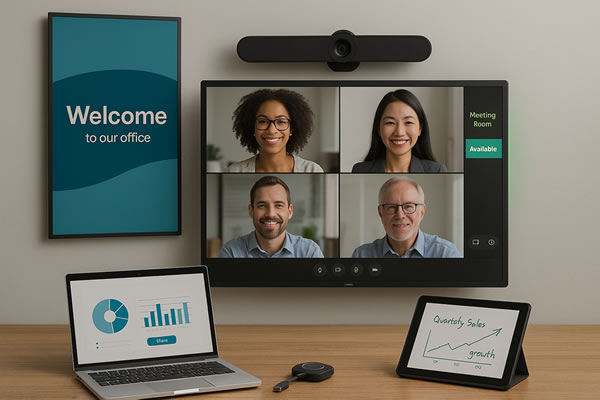
For small businesses, choosing the right audio visual (AV) tools can make a huge difference. Once seen as something only large corporations could afford, AV solutions are now more accessible than ever. From video conferencing to digital signage, modern AV products help small businesses improve collaboration, enhance client communication and create a professional workplace environment. At Rapid Technologies, we design and install AV solutions tailored to the needs of UK businesses. Here are some of the top AV products for small businesses that can make an immediate impact. Video Conferencing For Small Businesses With hybrid and remote working now part of everyday life, reliable video conferencing systems are essential. While platforms like Microsoft Teams and Zoom are common, the real difference comes from dedicated AV hardware, high-definition cameras, microphones and soundbars. Clear video and audio help small businesses appear professional and make client meetings far more productive. Our team helps companies integrate conferencing solutions that are simple to use and easy to manage. Interactive Displays For Offices Interactive displays are quickly becoming one of the most popular AV tools for small businesses. These touch-enabled screens allow teams to brainstorm, present ideas and collaborate with remote colleagues in real time. For client meetings, they make presentations more engaging and memorable. Compact, flexible and modern, interactive displays are ideal for small offices and meeting rooms where space is limited. Wireless Presentation Systems Passing cables around the table is a thing of the past. Wireless presentation systems, such as Barco ClickShare, let users share content instantly from laptops or mobile devices. This kind of AV technology encourages collaboration, speeds up meetings and eliminates the frustration of tangled wires. For small businesses looking to modernise their meeting rooms quickly, wireless presentation tools are an affordable and effective solution. Digital Signage For Small Businesses First impressions are everything. Digital signage provides a sleek way to welcome visitors, display branded content and communicate important messages. For customer-facing businesses, it can promote offers or events, while for internal use it’s a great way to share company news with employees. Small businesses benefit from the flexibility of digital signage, as updates are quick, cost-effective and eye-catching. Meeting Room Technology & Booking Systems In busy offices, managing meeting space can be a real challenge. Room booking systems and integrated AV tools make scheduling seamless, ensuring resources are used efficiently. Digital signage outside meeting rooms can display availability at a glance, creating a modern and professional feel. Bringing It All Together Investing in the right small business AV solutions isn’t just about looking professional, it’s about improving teamwork, communication and customer experience. At Rapid Technologies, we specialise in AV integration services across the UK, helping businesses of all sizes get the most out of their technology. If you’re looking to explore the best AV products for small businesses, our team would be delighted to help design a solution that works for you. Speak to us today.
Enhancing the Retail Experience with AV Technology

Creating memorable in-store experiences is more important than ever in today’s retail environment. Audio-visual technology is transforming how retailers engage with customers, turning shops into dynamic, interactive spaces that leave lasting impressions. Whether you’re a boutique store or a large retail chain, here’s how AV tech can help elevate the customer experience and boost your business. Dynamic Digital Displays Static signage is a thing of the past. With AV technology, digital displays can showcase vibrant, eye-catching content that grabs attention and adapts in real-time. Promote special offers, share brand stories, or highlight new arrivals – all with content that can be updated instantly to match customer demand or trends. Imagine a screen that updates as the weather changes, offering raincoats on a rainy day or sunglasses when the sun is out. That’s the power of Digital Signage in retail. Immersive In-Store Experiences Retail is no longer just about shopping – it’s about creating experiences. Technology such as video walls or projection mapping, can turn your store into a visual wonderland. Imagine walking into a shop where seasonal themes come to life on the walls or where a product launch feels like an exclusive event. These immersive touches keep customers engaged and encourage them to spend more time in-store, which is ultimately what you want. Engaging Audio Solutions Audio plays a huge role in setting the mood and influencing purchasing decisions. Specialist audio solutions can deliver crystal-clear sound that is tailored to your store layout, ensuring every corner is covered without being overwhelming. From soothing background music to promotional announcements, the right audio enhances the shopping atmosphere and keeps customers coming back. Interactive Touchpoints You want to encourage interaction and touchscreens are a great way to do this. For example, you can allow customers to browse inventory, check stock levels, or explore product details on a touchscreen, eliminating the need to wait for staff assistance. Another example is self-service kiosks, which can reduce queues while enhancing convenience, creating a smoother shopping experience for everyone. Why AV Matters for Retailers Audio Visual technology isn’t just for flashy flagship stores; it’s a smart investment for any retailer looking to up their game. By using AV solutions, you’ll be able to: Let’s Elevate Your Store From interactive displays to immersive soundscapes, AV technology is revolutionising the retail experience. Whether you’re looking to create a show-stopping display or improve day-to-day efficiency, we’ve got the tools and expertise to help – Get in touch today!
Windows 10 End of Life: What It Means for Microsoft Teams Rooms and AV Systems
Say Goodbye to Windows 10 – Time to Think Ahead Microsoft has announced that Windows 10 will reach End of Support on 14 October 2025. That means no more security updates, bug fixes, or technical support from Microsoft beyond this date. While this is important news for all IT departments, it’s particularly crucial for organisations using Microsoft Teams Rooms (MTRs) or other AV systems running on Windows 10. If your meeting rooms rely on Windows 10 compute modules, now is the time to take a closer look at your setup. Why It Matters for Your Teams Rooms Many Microsoft Teams Rooms in businesses and schools across the UK still operate using Windows 10. After October 2025, these systems will become increasingly vulnerable to security threats and may begin to lose compatibility with new Teams features and updates. For organisations that rely on seamless communication and hybrid collaboration, this could quickly turn into a real problem. Unpatched systems not only increase risk, but also create uncertainty for users. A room that worked perfectly yesterday may fail to deliver the same experience tomorrow – and when it’s a key client call or a hybrid team briefing, that’s not a risk worth taking. What’s the Impact on AV Systems? It’s not just about the core compute device. If your Microsoft Teams Room setup includes a Windows 10 PC, it could also affect connected components like displays, control panels, cameras and microphones. Compatibility issues may arise, performance could dip and the overall user experience could suffer. This is an ideal time to review your broader AV environment. Many businesses are using this change as an opportunity to upgrade their meeting room technology – future-proofing their workspaces while ensuring users continue to benefit from a reliable, high-quality experience. What Should You Be Doing Now? While the deadline might seem a while away, the reality is that planning a technology transition takes time. By starting now, you can explore your options without pressure, align changes with budgets, and avoid last-minute scrambles. We recommend reviewing: Even if you’re unsure where to begin, having a conversation with an experienced partner can help shape a clear, practical plan forward. How We Can Help As a UK-based audio-visual integrator, we work with organisations across sectors to design, upgrade and support Teams Room environments and integrated AV solutions. From reviewing your current setup to guiding you through Windows 11-compatible replacements, we provide expert advice and installation with minimal disruption to your day-to-day operations. Whether it’s a single meeting room or a full estate of hybrid workspaces, we’re here to make sure your systems continue to deliver performance, security and simplicity – long after Windows 10 is gone. Let’s Talk – No Pressure, Just Practical Advice The sooner you start planning, the more options you’ll have. We’re currently offering free consultations to help organisations like yours prepare for the Windows 10 End of Life and ensure your Microsoft Teams Rooms stay reliable, secure and future-ready. 📞 Book your free consultation now – Contact our AV experts
Interactive Displays vs. Traditional Tools: Making the Smart Choice for Your Organisation
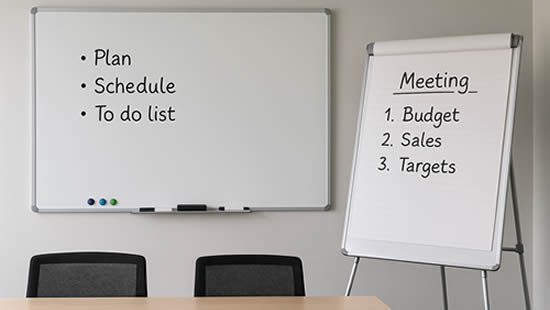
As workplaces and learning environments continue to evolve, so too must the tools we use to communicate, collaborate and educate on a daily basis. While traditional tools such as whiteboards, flip charts and static projectors have long been staples in classrooms and offices, interactive displays are the new standard. But how do you decide which is right for your organisation? In this blog post, we compare interactive displays with traditional tools to help you make an informed, future-ready choice. The Limitations of Traditional Tools There’s a certain familiarity and simplicity to traditional tools. Whiteboards and flip charts are easy to use, require no training or setup and allow for spontaneous idea sharing. However, they come with key limitations: The Advantages of Interactive Displays Modern interactive displays, like the Clevertouch UX Pro Edge and the SMART Board MX Pro, offer a wide array of features designed to enhance productivity and collaboration: Greater Engagement Touch functionality, integrated annotation tools and multi-user interaction drive more active participation. Learners or colleagues can contribute in real-time, making sessions more dynamic and inclusive. Integrated Digital Tools Built-in whiteboarding, screen mirroring, internet browsing and video playback eliminate the need for multiple devices. Everything you need is in one place, accessible with a tap or swipe. Cloud Connectivity Save your notes, presentations or annotations directly to the cloud. Users can pick up right where they left off, collaborate from different locations and access materials after the session ends. Designed for Hybrid Work Most interactive displays support remote collaboration tools like Zoom, Microsoft Teams and screen sharing apps — ideal for hybrid or remote teams. Long-Term Cost Efficiency Though the upfront investment may be higher, interactive displays reduce the need for consumables, repairs and separate devices, offering long-term savings and a better ROI. When Might Traditional Tools Still Be Useful? In some informal or low-tech settings, traditional tools may still be practical — for example, in a temporary space or a small meeting where quick brainstorming is the priority. However, for any organisation looking to scale, future-proof, or improve collaboration, the benefits of interactive technology are clear. Making the Right Choice for Your Organisation Ultimately, the decision should align with your organisation’s goals. If you’re aiming to enhance collaboration, streamline operations, or create a tech-enabled learning environment, interactive displays are a smart, scalable investment. Need help choosing the right display for your space? Our expert AV team can guide you from consultation to installation. Speak to us today!
The Future of Collaboration: Leveraging Interactive Displays in Business and Education
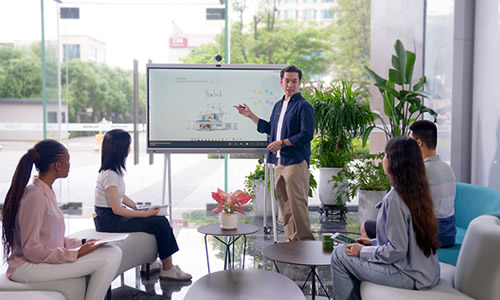
Collaboration is at the heart of modern workplaces and educational associations. As remote and hybrid work models continue to grow, businesses and schools need technology that fosters engagement and seamless interaction. Interactive displays have emerged as a game-changing solution, transforming meetings, training sessions and classrooms. How Interactive Displays Enhance Collaboration Why Your Business or School Should Invest in Interactive Displays As businesses move towards more dynamic and hybrid work environments, interactive displays ensure meetings are productive and engaging. In education, these displays support active learning, making lessons more immersive for students. Check out our range of interactive displays here. At Rapid Technologies, we provide a range of high-quality interactive displays designed to enhance collaboration in corporate and educational settings. Whether you’re upgrading your meeting spaces or modernising classrooms, we have the right solution for you. Get in touch today!
From Airwaves to Interactive: AV Integration at Radio Plus
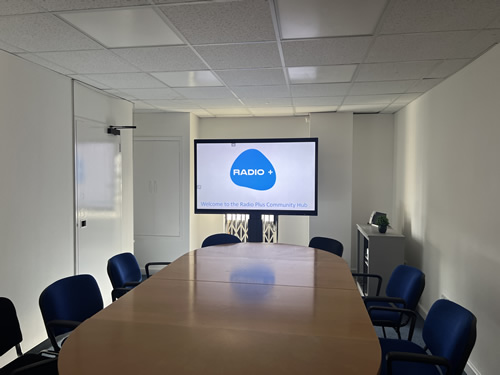
About Radio Plus Radio Plus is a thriving community radio station based in Coventry, broadcasting since 2010. Known for its commitment to inclusivity and empowerment, Radio Plus was honoured with the Queen’s Award for Voluntary Service in 2016, recognising its outstanding contribution to the local community. In partnership with Levytate, the station also plays a vital role in developing young talent, supporting individuals aged 16 – 30 through its Content Producer Apprenticeship programme aimed at providing hands-on experience in the media industry. Identifying the challenges Despite their commitment to nurturing media talent, Radio Plus hit a significant barrier — the lack of training resources. Without the appropriate resources, they were unable to deliver training courses or generate revenue by hiring out the space for community workshops. This restricted their ability to fully realise their mission and hindered the growth of their training programmes. Delivering a solution To transform the space into a state-of-the-art media training and community hub, we worked closely with the team at Radio Plus to deliver a comprehensive Audio-Visual solution tailored to their needs. We installed five 86″ Clevertouch UK Pro Edge interactive displays, four of which were mounted on mobile trolleys to allow flexible use of space, while one was wall-mounted for a more permanent fixture. All displays were equipped with Clevercast wireless sharing, enabling seamless collaboration and content sharing during training sessions and workshops. In addition, we fitted two LG 65″ wall-mounted digital signage displays, powered by Clevertouch PICO XI Signage Players. This gave Radio Plus the capability to run dynamic digital signage across the facility, supporting communication, branding and engagement with their various stakeholders. “The Clevertouch displays and digital signage have had a big impact… it really has given us an edge over anyone else in our area that offers community training spaces. It really has helped us engage with different partners and how they operate.” Simon McAusland – CEO The Impact The transformation has had a profound impact on Radio Plus and the community it serves. With a fully equipped, professional training facility, they can now deliver high-quality training sessions, host community events, and maximise the use of their space through rentals, all supported by modern, user-friendly technology. “I would absolutely recommend working with Rapid. The sort of product range they have is fantastic, it is state-of-the-art and their product knowledge is great. Our experience has been second to none.” Simon McAusland – CEO Looking to transform your training facility? We’d love to help. Get in touch today!
5-Year AV Refresh: Upgrade Your Tech Today
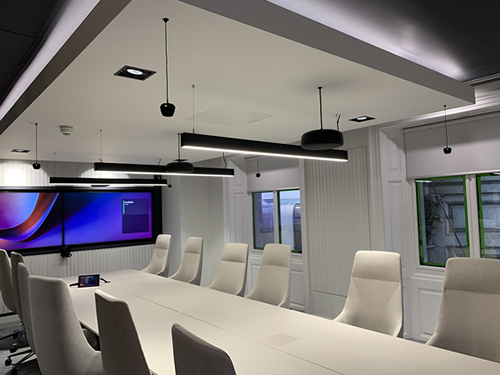
If your AV equipment is over five years old, it may no longer meet the demands of modern workspaces. Upgrading now ensures you have the latest technology to enhance collaboration, efficiency and overall user experience. Why Is It Time for an AV Refresh? The pace of technological advancements in AV solutions is rapid, with new innovations continually improving performance, usability, and integration capabilities. If your AV equipment is over five years old, it may be struggling to keep up with modern demands. Upgrading your AV systems is a smart investment that enhances productivity, improves client presentations, and modernises your workspace. At Rapid Technologies, we offer expert guidance on AV upgrades, from meeting room displays to video conferencing solutions. Don’t wait until your technology becomes outdated, get in touch today to discuss your AV refresh!