
Sound Masking vs Sound Proofing
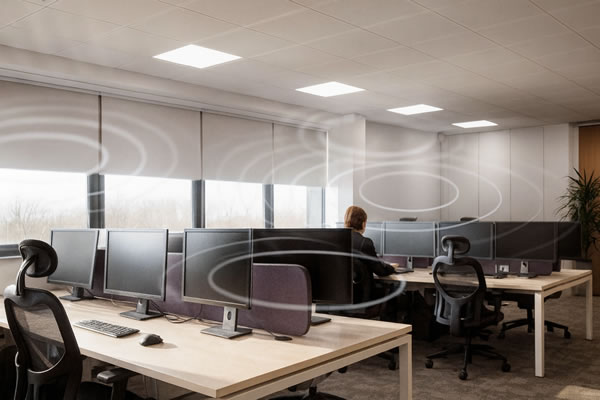
Sound Masking vs. Sound Proofing: What’s the Difference? Noise control is one of the critical factors to consider in designing a productive and comfortable working environment. Whether you’re designing an office, healthcare environment, education setting, or any space where privacy and focus matter, understanding the difference between sound masking and soundproofing is key. While both terms are often used interchangeably, they serve very different purposes and deliver different results. What is Sound Masking? Sound masking adds an unobtrusive background noise to a space that reduces how far conversations can be heard. Instead of blocking noise, it works by covering the noise with a specifically engineered sound-usually similar in character to soft airflow. This diminishes speech intelligibility so that nearby conversations blend into the background and become less distracting. Modern systems allow you to fine-tune the sound for different zones, including open offices, meeting rooms, call centres, and reception areas. The goal isn’t to make a space louder but to create a consistent acoustic environment that supports productivity and protects privacy. Benefits of Sound Masking: What is Sound Proofing? Soundproofing involves physically blocking, absorbing, or isolating sound to stop its entrance or exit from a room. This often requires architectural changes such as insulated walls, acoustic panels, specialist doors, ceiling treatments, or floor underlays. This is designed to provide a barrier that prevents sound transmission between spaces. Because soundproofing generally depends on materials and construction methods, planning usually occurs during the initial stages of a building or renovation project, although retrofitting is still possible. Benefits of Sound Proofing: Which Solution Is Right for You? Your choice depends on the challenges you’re trying to solve. Consider sound masking to improve privacy in open areas, reduce distractions, or increase comfort without major construction work. Choose sound proofing whenever sound transmission between rooms needs to be blocked, confidentiality is required, or acoustics must be controlled in performance, broadcasting, or specialist applications. In many workplaces, a combination of both offers the most effective result. How we can help? If you want to increase acoustic privacy, reduce distractions, or boost productivity in the workplace, we can help. We design and install professional sound masking solutions tailored to your environment. Contact us today to arrange a consultation, and we’ll find the right solution for your space.
Transforming Synextra’s New Office into a Smarter, Connected Workplace
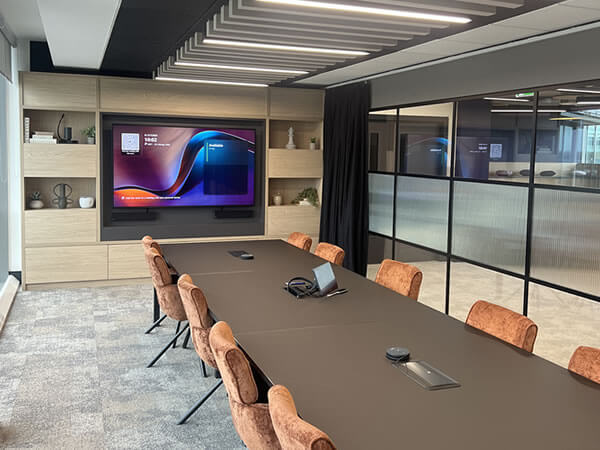
Scope of Work Synextra is a fast-growing IT support and cloud services provider based in Warrington, known for helping businesses modernise their technology and improve efficiency. When the company relocated to a brand-new office space, they wanted their workplace to reflect the same innovation and connectivity they deliver for their own clients. To achieve this, Synextra partnered with us to design and install a suite of audio-visual solutions that would enhance collaboration, simplify hybrid meetings and create a seamless experience for all users, from tech enthusiasts to those less familiar with AV systems. Meeting Rooms We equipped three meeting rooms with large-format Sony commercial displays and Yealink Microsoft Teams Room systems, creating an intuitive, plug-and-play experience for video calls and presentations. Each room was also fitted with Joan Room Booking Panels mounted on the glass panels outside, making it easy for staff to check availability, book meetings and manage room usage in real time. The combination of Yealink and Joan technology ensures meetings start smoothly and stay on schedule. Boardroom In the main boardroom, we installed a Yealink MVC S90 system to deliver exceptional video and audio quality for executive and client meetings. The system includes dual PTZ cameras for flexible framing, wireless microphones for clear sound and integrated speakers for even room coverage. A Joan Room Booking Panel was also installed outside the boardroom to provide instant visibility of bookings and availability. Collaboration Area To support informal discussions and team collaboration, we fitted the open-plan area with an iiyama interactive display, powered by Mago Pro software and paired with an iiyama UC Pro camera. This setup created a versatile space for spontaneous meetings, brainstorming sessions and content sharing, perfectly suited to a modern hybrid workplace. The Mago Pro collaboration platform enables users to wirelessly share content, annotate in real time and launch video meetings with ease, eliminating the need for cables or complicated setups. Its intuitive interface makes it simple for teams to present ideas, review documents and collaborate interactively, whether they’re in the room or joining remotely. The iiyama UC Pro camera ensures every meeting is delivered in crisp, high-definition quality, providing clear visuals and accurate framing for all participants. Together, these technologies give Synextra’s team a flexible, future-ready collaboration space that enhances communication and encourages creativity across departments. Here’s a few words from Synextra’s Executive Assistant, Chi Lee on their experience working with us: Did our team meet your expectations in terms of service and support? “Yes, they were great. Really handy and great communication.” The Synextra team found the installation process smooth and efficient, with strong communication from start to finish. How has the technology improved your operations? One sentence to describe your experience: “Efficient, knowledgeable, helpful and engaging.” Looking to upgrade your meeting spaces?Discover how we can help you create smarter, more connected environments with intuitive AV solutions. Speak to us today to book your very own consultation!
Why October 2025’s Teams Rooms Windows 10 Cut-off Matters More Than You Think
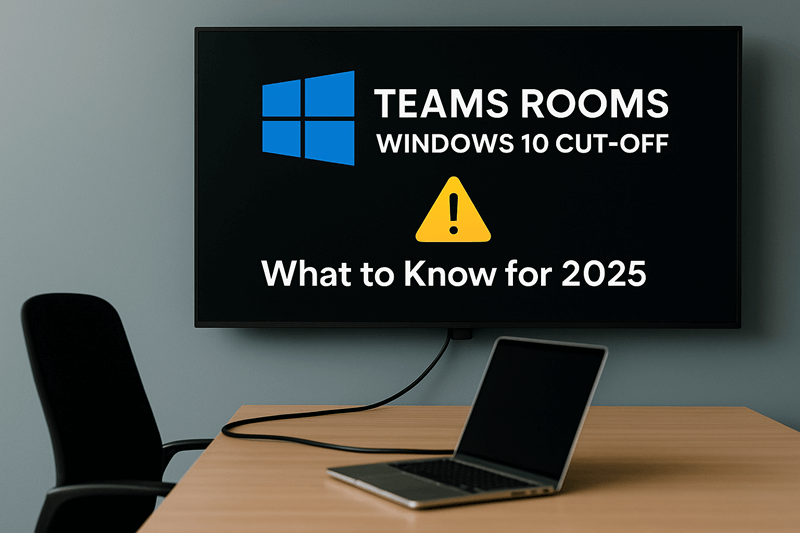
Meeting rooms are where it happens in hybrid work. But Microsoft is discontinuing support for Teams Rooms on Windows 10 on 14 October 2025 and it’s a bigger deal than it initially appears. Once support ends, the systems will not be provided with security patches and updates and will be exposed to attack. Technical support also will be discontinued and new features within Teams may no longer work on older systems. Not all Teams Room equipment can be upgraded to Windows 11. Solutions such as the Crestron Skull Canyon (C100, CX100) cannot be upgraded, but others, even recently released Poly or Logitech NUCs can have upgrade options available. If your meeting rooms have not been assessed in a couple of years, the time is now. Start with getting all your Teams Rooms devices audited, checking OS versions and identifying what can be upgraded and what has to be replaced. Start with high-traffic and client-facing spaces first and test the upgrades to ensure everything is okay, from control panels and booking systems to screens and cameras. This’s not about keeping up. It’s about maintaining trust, security and reliability across your collaboration spaces. Out-of-support systems introduce compliance issues, integration holdups and downtime, which no business can afford. Taking action now, you transform a required upgrade into an opportunity to upgrade your meeting rooms, enhance performance and future-proof your investment. Struggling to plan your Teams Rooms upgrade? Contact us today — we’ll guide you every step of the way.
5 Questions to Ask Before Starting Your AV Project

Plan Your AV Project with Confidence Whether you’re upgrading a meeting room, rolling out digital signage, or designing a new collaborative workspace, a successful AV project starts with asking the right questions. At Rapid, we’ve seen too many AV installations fall short, not because of poor products, but because they weren’t properly planned. As a UK AV integrator, we help businesses avoid these issues by focusing on the bigger picture from day one. Here are five key questions to ask before you start any AV project. This may seem obvious, but it’s often overlooked. Are you trying to: Defining your goals upfront ensures that every decision, from product choice to room layout supports your desired outcome. 2. Who Will Be Using the System? A sleek control panel or state-of-the-art display is only effective if your team can use it with confidence. Consider: Understanding the user journey helps us design intuitive systems that don’t require constant IT support. 3. How Will the Technology Fit Into the Space? The best AV solution will feel like a natural part of your space. That means thinking about: We’ll work with you to make sure the setup is aesthetic, functional and future-proof, whether you’re fitting out a boardroom, breakout area or huddle space. 4. What’s Your Budget and What’s the Lifecycle? It’s important to look beyond the initial cost. Think about: We’ll help you balance short-term needs with long-term value, ensuring your investment continues to deliver over time. 5. Who’s Managing the Project? An AV installation involves more than just mounting a screen. There’s cabling, network configuration, power requirements, software setup and testing, plus coordination with IT, facilities and sometimes third-party contractors. Choosing an AV partner that offers end-to-end project management ensures your rollout is smooth, on time and on budget. How Rapid Can Help? As a trusted UK AV integrator, we support organisations at every stage of the process, from initial consultation and design, through to installation, training and aftercare. Whether you’re upgrading a single room or implementing tech across multiple sites, we ask the right questions to deliver AV solutions that are: Ready to Talk? If you’re planning an AV project and want practical advice (with no hard sell), we’re here to help. Our experienced team offers free consultations to get you started the right way. Check out our full range of AV services now or Speak to one of our our AV experts today!
Digital Signage Done Right: Engaging Customers with Eye-Catching Displays
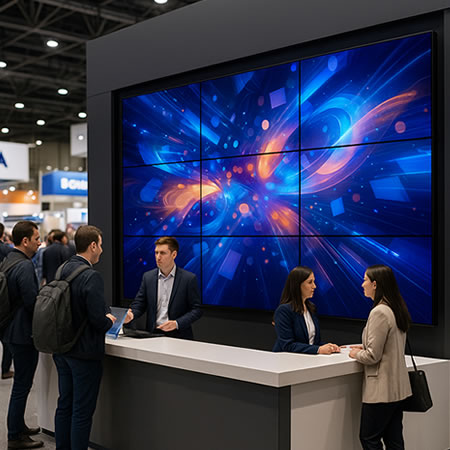
Make a Lasting Impression with Digital Signage That Works In an age where screens dominate our environments, grabbing the attention has never been harder or more important. Whether you’re a retailer, hospitality venue, school, or corporate brand, the right digital signage can transform the way people interact with your space. But not all signage is created equal. At Rapid, we help organisations across the UK design and install digital signage solutions that are more than just screens on a wall they’re tools for storytelling, wayfinding, promotion and engagement. Here’s what makes digital signage done right. It Starts with Strategy Before choosing hardware or content, the first step is to ask: what do you want to achieve? Whether it’s increasing sales, informing visitors, or creating an immersive experience, your goals should shape your signage strategy. We help you map out: This planning ensures your signage works hard and smart. Design that Demands Attention Eye-catching visuals are key. That’s where high-resolution displays, vivid colours and creative layouts make a real difference. We work with top display manufacturers to offer: Our team helps match the right technology to your space and your message. Dynamic Content That Speaks to Your Audience Digital signage is only as good as the content it delivers. With the right CMS (Content Management System), you can update your messaging in real time, tailor it to different audiences, or even schedule campaigns by time of day or season. Whether you’re running promotions, sharing safety updates, or enhancing the visitor experience, we’ll help you get the right content to the right screens, at the right time. Easy to Manage, Scalable to Grow From a single screen in reception to a network of displays across your entire estate, our solutions are designed to scale with your business. We can integrate signage with existing systems or set you up with a cloud-based CMS for total control from anywhere. And because we’re AV integrators, we make sure your signage fits in seamlessly with the rest of your tech, whether it’s Teams Rooms, digital wayfinding, or interactive touchpoints. Ready to Make Your Signage Stand Out? Digital signage is more than a display, it’s an opportunity to connect with your audience in a powerful, visual way. At Rapid, we offer expert advice, bespoke design and full installation across the UK, helping businesses and organisations deliver digital signage that truly makes an impact. Let’s talk about your signage goals! Book your free consultation now!
Wireless Sharing: Breaking Down Barriers to Creativity and Collaboration
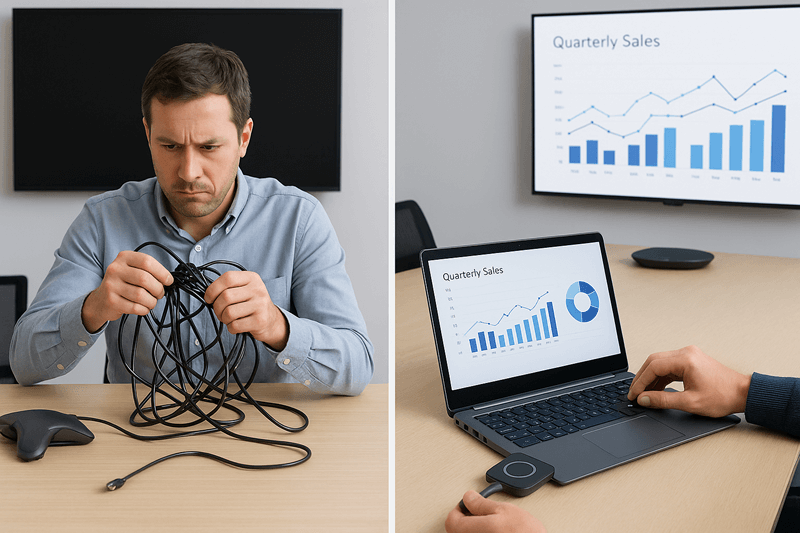
We’ve all been there — the meeting’s about to start and everyone’s waiting while someone digs through a drawer of cables trying to find the right one. It’s not exactly the best start to a creative session. Which is why wireless sharing has been the game-changer. By doing away with cables and complicated setup, teams can go straight to sharing images and presentations and ideas, simply at the click of a button. It keeps them on the move, encourages collaboration and lets ideas flow freely. Collaboration Made Simple When everybody can share their screen live, it changes the nature of how meetings occur. Instead of having one person lead the discussion, everybody gets to play a part. It could be showing design ideas off a tablet computer, sharing information from a laptop, or just walking the team through a concept. A solution like Barco ClickShare, Mersive Solstice and Airtame makes it straightforward. They’re compatible with virtually any device, so there is no software to install, no training and no time wasted. It’s technology that works in the background, so people can focus on the ideas, not setup. Perfect for Hybrid Teams With hybrid work becoming the new reality, it is important that remote viewers are as engaged as those present. Wireless sharing solutions accompany platforms like Microsoft Teams, Zoom and Google Meet so all can see and interact with content in real-time. Pair this with the right audio visual setup, from high-quality microphones and displays to room control systems and you’ve got a workspace that makes collaboration simple, no matter where people are joining from. A Solution for Every Space Every room is different, as every team is. It could be a small huddle room, an inspiring breakout area or a large boardroom, we design wireless sharing systems that are tailor-made for your needs. We aim to keep technology simple, yet dependable and completely seamless, so meetings are easy, not stressful. Time to Go Wireless? If you’re fed up with cables and connectivity hiccups slowing down your meetings, it may be time to switch. Wireless sharing has the power to change the way your teams collaborate, connect and create. Contact our team today to learn how we can assist you in selecting the perfect solution for your work environment.
Confident Collaboration: Training Teams to Use Interactive Displays Effectively
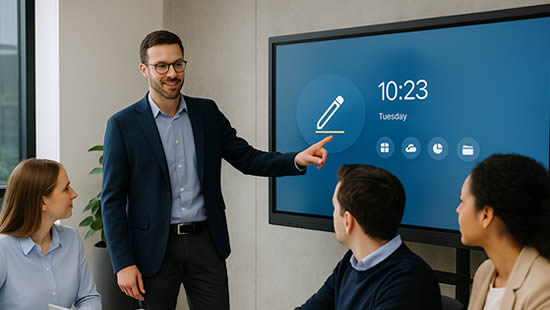
Make the Most of Your Interactive Displays with Hands-On Training Interactive displays have transformed the way we meet, teach and collaborate, whether it’s in boardrooms, classrooms, or hybrid workspaces. But like any piece of AV technology, they’re only effective if your team knows how to use them properly. We often see organisations invest in the latest display technology, whether it’s a Microsoft Surface Hub, Clevertouch, SMART Board, Yealink displays etc, only to find it underused. Staff may stick to old habits, avoid engaging features, or lack confidence to run a session without support. That’s where hands-on training from an experienced AV integrator makes all the difference. Why Training on Interactive Displays Matters Interactive displays are designed to encourage participation and improve engagement. But without proper training, users can miss out on key features like: Instead of empowering creativity and productivity, the tech ends up being just another screen. With hands-on training, teams feel confident and capable, ready to fully engage with the tools available to them. What Our Interactive Display Training Covers At Rapid, we provide on-site and remote training sessions tailored to your specific setup and user needs. Each session is practical, jargon-free and designed to leave your team ready to use your displays with confidence. We cover: Whether you’re in a corporate office, public space or education setting, we adapt the training to your real-world use cases. Empowering All User Levels We know that different teams need different levels of support. That’s why our training sessions can be delivered for: Our aim is to make your technology approachable for all, regardless of digital confidence level. Continued Support for Long-Term Value AV technology evolves quickly. To ensure your investment stays relevant, we offer: Training isn’t just a one-off, it’s an ongoing part of keeping your team engaged and productive. Talk to Us About Interactive Display Training As a leading UK AV integrator, we don’t just install interactive displays, we help you get the most out of them. Our hands-on training sessions are designed to support real collaboration, reduce tech anxiety and unlock the full potential of your AV setup. Ready to get started? We offer free consultations with no obligation – Book your training session today
Enhancing Hybrid Workspaces with Microsoft Teams Rooms Pro Digital Signage Integration
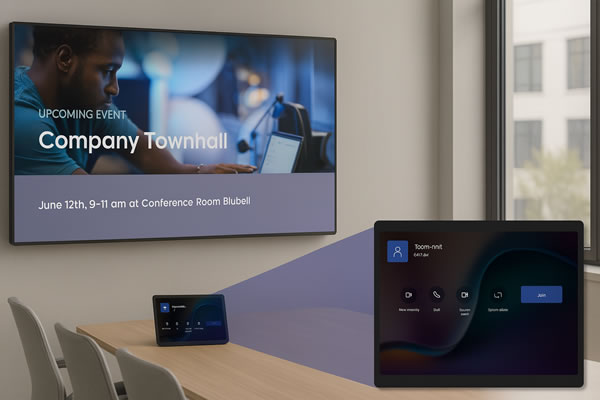
The shift to hybrid working has reshaped how teams collaborate, blending remote flexibility with face-to-face engagement. Microsoft Teams Rooms Pro is now pushing this evolution further by introducing digital signage, turning meeting rooms into constant communication hubs. What is Digital Signage in Teams Rooms Pro? Digital signage enables Teams Rooms devices to display dynamic content, such as company news, meeting schedules and live updates, even when the room isn’t occupied. This makes sure that important information is always visible, helping teams stay connected and informed throughout the day. Benefits for Organisations Adding digital signage to meeting spaces brings several clear advantages: Continuous Communication: Deliver timely messages without overloading inboxes, keeping everyone updated efficiently. Optimised Space Use: Display room availability and schedules to reduce downtime and maximise meeting room productivity. Improved Employee Engagement: Real-time, relevant content keeps staff informed and contributes to a stronger workplace culture. Implementation Essentials To fully benefit from digital signage, organisations need to ensure: Looking Ahead The launch of digital signage within Teams Rooms Pro highlights Microsoft’s commitment to supporting hybrid working environments. For AV integrators, it opens fresh opportunities to deliver comprehensive solutions beyond traditional conferencing setups. At Rapid, we’re eager to incorporate this innovation into our service offerings, helping clients build smarter, more connected workplaces. As hybrid work continues to evolve, adopting forward-thinking technologies like digital signage will be key to staying competitive and meeting client needs. Ready to future-proof your workspace with cutting-edge AV solutions? Contact Rapid today to discover how Microsoft Teams Rooms Pro digital signage can transform your meeting rooms and enhance collaboration across your organisation. Let’s create smarter, more connected environments together.
Windows 10 End of Life: What It Means for Microsoft Teams Rooms and AV Systems
Say Goodbye to Windows 10 – Time to Think Ahead Microsoft has announced that Windows 10 will reach End of Support on 14 October 2025. That means no more security updates, bug fixes, or technical support from Microsoft beyond this date. While this is important news for all IT departments, it’s particularly crucial for organisations using Microsoft Teams Rooms (MTRs) or other AV systems running on Windows 10. If your meeting rooms rely on Windows 10 compute modules, now is the time to take a closer look at your setup. Why It Matters for Your Teams Rooms Many Microsoft Teams Rooms in businesses and schools across the UK still operate using Windows 10. After October 2025, these systems will become increasingly vulnerable to security threats and may begin to lose compatibility with new Teams features and updates. For organisations that rely on seamless communication and hybrid collaboration, this could quickly turn into a real problem. Unpatched systems not only increase risk, but also create uncertainty for users. A room that worked perfectly yesterday may fail to deliver the same experience tomorrow – and when it’s a key client call or a hybrid team briefing, that’s not a risk worth taking. What’s the Impact on AV Systems? It’s not just about the core compute device. If your Microsoft Teams Room setup includes a Windows 10 PC, it could also affect connected components like displays, control panels, cameras and microphones. Compatibility issues may arise, performance could dip and the overall user experience could suffer. This is an ideal time to review your broader AV environment. Many businesses are using this change as an opportunity to upgrade their meeting room technology – future-proofing their workspaces while ensuring users continue to benefit from a reliable, high-quality experience. What Should You Be Doing Now? While the deadline might seem a while away, the reality is that planning a technology transition takes time. By starting now, you can explore your options without pressure, align changes with budgets, and avoid last-minute scrambles. We recommend reviewing: Even if you’re unsure where to begin, having a conversation with an experienced partner can help shape a clear, practical plan forward. How We Can Help As a UK-based audio-visual integrator, we work with organisations across sectors to design, upgrade and support Teams Room environments and integrated AV solutions. From reviewing your current setup to guiding you through Windows 11-compatible replacements, we provide expert advice and installation with minimal disruption to your day-to-day operations. Whether it’s a single meeting room or a full estate of hybrid workspaces, we’re here to make sure your systems continue to deliver performance, security and simplicity – long after Windows 10 is gone. Let’s Talk – No Pressure, Just Practical Advice The sooner you start planning, the more options you’ll have. We’re currently offering free consultations to help organisations like yours prepare for the Windows 10 End of Life and ensure your Microsoft Teams Rooms stay reliable, secure and future-ready. 📞 Book your free consultation now – Contact our AV experts
From Friction to Flow: A Seamless AV Experience at Black Capital Group
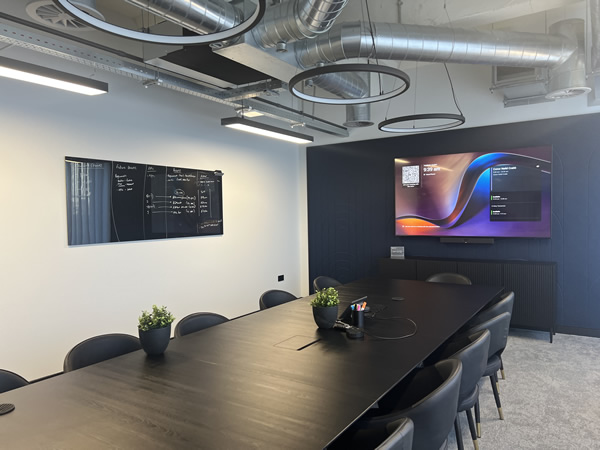
About Black Capital Group Black Capital Group is a Cheshire-based holding company that unites three complementary businesses: Compliance Chain, Procure Partnerships Framework and Strategic Resourcing. They deliver best-in-class procurement, compliance and recruitment solutions to the UK public sector and built environment, operating with a client-centred and socially responsible ethos. Conor Neild-Crabb, Head of Strategy, shared his thoughts on the project: “The service level from start to finish was incredible – Rapid were so easy to work with and everything was seamless.” “I would recommend Rapid services to any other business who are interested in working with them.” “We had issues with the installations that were based around the fit-out of the office and Rapid pretty much became our own project managers to solve all of these issues.” Identifying the Challenges Before partnering with Rapid, Black Capital Group faced several challenges with their workplace technology. Staff often had to join Teams calls from their desks, which resulted in unprofessional audio and visual experiences. Setting up meetings was difficult due to poor-quality cameras, unreliable sound and the need for physical wired connections. Privacy was also a concern, particularly for senior leadership. The CEO required a seamless, private setup in his office to carry out calls and meetings with minimal disruption, which their existing setup couldn’t provide. Additionally, meeting spaces were frequently booked but often went unused, leading to inefficiencies and wasted resources. Complicating matters further, the layout and fit-out of the office presented challenges when it came to installing new AV technology. Despite this, Rapid was able to integrate everything cleanly and efficiently, working around the fit-out limitations without issue. Delivering the Solution To address these issues, we delivered a tailored AV solution that focused on ease of use, flexibility and high performance. In each meeting room, we installed Yealink A40 all-in-one video bars, paired with CTP25 touch panels and PA20 wireless dongles. This provided a seamless, intuitive in-room experience for users, making it easy to connect and collaborate without relying on cables or complex setups. We also installed Yealink room booking panels outside each meeting room, allowing staff to see at a glance which rooms were available or in use. For the meeting pods, we implemented GoBright Interact booking devices, complete with reconfigured desk glows to clearly show pod availability in real time. Despite initial concerns around how the office fit-out would impact installation, we successfully integrated all systems with minimal disruption, taking on a project management role to overcome logistical challenges and ensure everything ran smoothly. The Impact The transformation had an immediate and positive effect. The upgraded technology allowed Black Capital Group to bring more people into meetings, both onsite and remotely, with the quality of the sound and video making it feel as though everyone was in the same room. The investment in Yealink and GoBright quickly proved its worth. After initially installing one Yealink system in the boardroom, the team was so impressed that they chose to install two more within a week of moving into the new office. The GoBright room booking system also had a noticeable impact. It provided a simple, effective way for staff to check room availability and eliminate wasted bookings, ensuring that every space was used more efficiently. Conclusion This case study demonstrates the real-world benefits of smart AV integration. With Yealink and GoBright solutions in place, Black Capital Group has created a professional, efficient and user-friendly environment for meetings and collaboration. By removing barriers and embracing intelligent technology, they have improved how their teams connect, communicate and use space, both now and for the future.