
Transforming Cobalt Housing’s Offices into a Smarter, More Connected Workplace
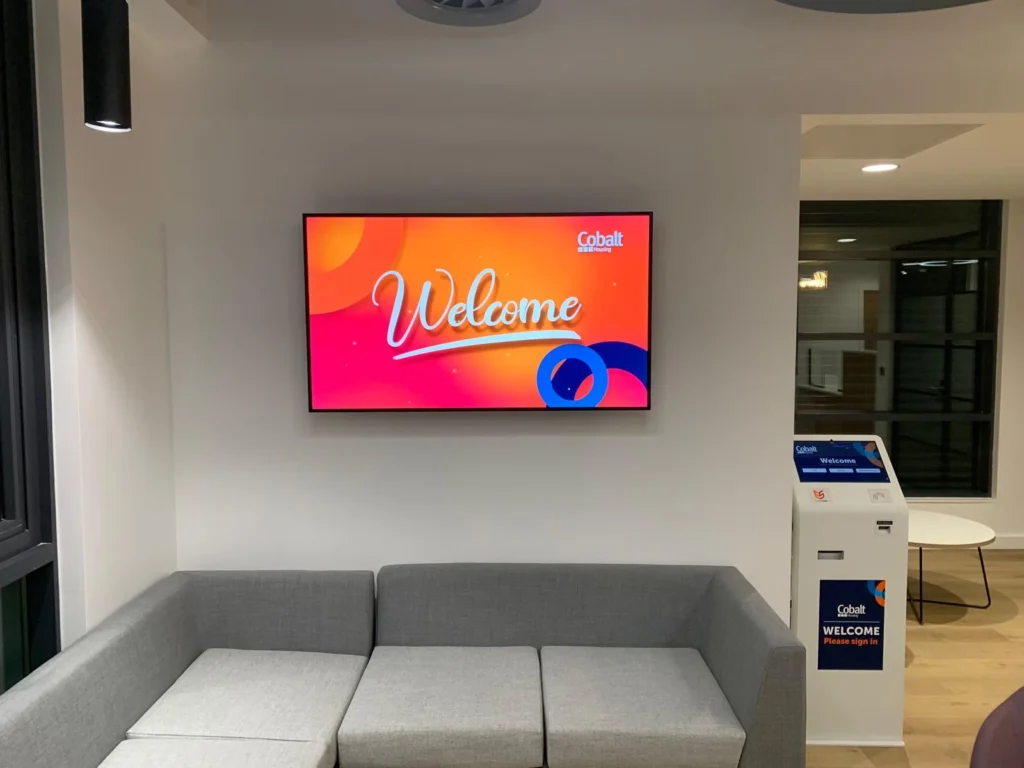
As part of a major office refurbishment, Cobalt Housing wanted to create a modern workplace that made it easier for employees to meet, collaborate and move between different spaces. Working alongside Truline, who managed the wider refurbishment and fit-out, we delivered an integrated workplace technology solution combining meeting room AV, room booking, visitor management, digital signage and interactive collaboration. The Challenge Cobalt Housing’s existing offices were ready for a transformation. Limited meeting room availability, ageing technology and a lack of informal collaboration spaces meant the workplace was no longer fully supporting the way its teams wanted to work. The refurbishment presented an opportunity to introduce modern, easy-to-use technology across the redesigned office, with a consistent experience for employees and visitors. A key requirement was integration with Cobalt’s chosen access control system, allowing staff to use the same card for building access, check-in, photocopiers and meeting room bookings. Cobalt also wanted to improve meeting room utilisation by addressing ‘ghost meetings’, where rooms remain booked but unused. With flexible furniture layouts planned for larger meeting spaces, the technology needed to support different room configurations without relying on visible cables or tabletop microphones. Delivering the Solution We designed and installed a comprehensive workplace technology solution, bringing together room booking, wayfinding, visitor management, digital signage and meeting room AV. Smarter Room Booking and Wayfinding We installed GoBright room booking and wayfinding technology, supported by wireless occupancy sensors and Yealink room panels. Staff can check room availability, make bookings and check into meetings directly from the panels. Wireless sensors support automatic check-in and help identify unused bookings, providing greater visibility over meeting room usage. Two digital wayfinding screens, positioned at the office entrances, display daily room availability and help staff and visitors navigate the building. Seamless Visitor Management and Staff Access An EntrySign visitor management system was installed across multiple entrances and areas, providing a more organised way to manage arrivals. The system integrates with Cobalt’s separately supplied access control solution, allowing employees to use their existing staff cards for building access, staff check-in, photocopiers and meeting room check-in. This creates a more consistent experience as employees move throughout the workplace. Flexible Meeting Rooms and Video Conferencing We equipped the small and medium meeting rooms with Yealink A40 and A50 Microsoft Teams Rooms systems, providing familiar meeting controls and straightforward video conferencing. Wireless presentation dongles allow employees to share content without additional table cabling, helping maintain tidy meeting spaces. For the larger training room and boardroom, we installed Yealink S90 dual-camera systems alongside Biamp ceiling microphones and speakers. By removing the need for tabletop microphones, the spaces can accommodate different furniture layouts while maintaining clear audio for meetings and presentations. The boardroom also features dual displays, providing additional screen space for shared content and remote participants. Digital Signage and Interactive Collaboration Digital signage was installed throughout the corridors and open office areas, providing a central way to display company updates, branding and information linked to Power BI. For informal collaboration, Clevertouch Impact Lux interactive displays allow employees to share ideas, present content and annotate directly on screen. Ochno OPC-4 solutions also provide integrated USB-C charging, helping staff keep devices powered while using these spaces. The Impact Cobalt Housing now has a modern workplace designed to support a wider range of working styles, from formal meetings and training sessions to informal discussions and collaborative working. Integrated staff cards and consistent meeting room technology help simplify everyday interactions, while digital wayfinding and visitor management support a more organised experience throughout the building. GoBright room booking and occupancy technology provides the tools to improve room utilisation and reduce unused bookings. Wireless presentation and ceiling-mounted audio keep meeting spaces flexible, allowing teams to adapt furniture layouts without compromising the technology. Meanwhile, digital signage and interactive displays create more opportunities for communication and collaboration across the office. With the refurbishment recently completed, the technology provides a strong foundation for a more connected workplace, with staff feedback and measurable outcomes to be assessed as the spaces become established. Create a Smarter Workplace with us From meeting room AV and video conferencing to room booking, digital signage and workplace collaboration, we help deliver integrated solutions designed around how organisations work. Planning an office refurbishment or looking to modernise your workplace technology? Get in touch with our team to discuss your project.
Laker-Vent Enhances Workplace Collaboration with Integrated AV Technology
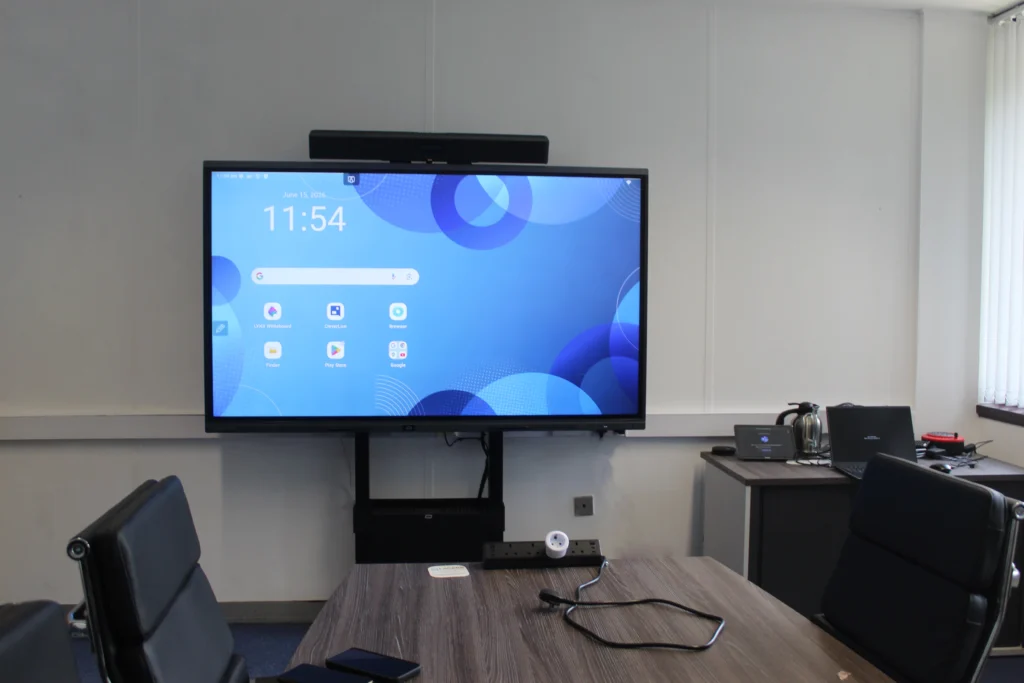
As businesses grow, having the right technology in place is essential for effective communication and collaboration. Laker-Vent recognised the need to modernise its existing meeting room technology and introduce a more consistent approach to digital communications across its sites. We were brought in to deliver an integrated Audio-Visual (AV) solution, combining video conferencing, interactive display technology, room booking and digital signage to create a more connected workplace. The Challenge Laker-Vent was looking to upgrade the technology at its site, with particular attention to the boardroom and internal communications. The existing boardroom setup was no longer meeting the requirements of the space. The display was too small and the technology lacked the robustness needed to support effective meetings and collaboration. With senior meetings and visitors regularly using the space, Laker-Vent wanted a more professional, reliable and user-friendly meeting environment. Alongside the boardroom improvements, the business also needed a digital signage solution. With no existing system in place for UK-wide communications, there was an opportunity to introduce a centrally managed platform that could eventually support multiple locations. Delivering the Solution We designed and installed an integrated AV solution combining Yealink video conferencing technology with Clevertouch interactive displays and digital signage. For the boardroom, we introduced a Yealink all-in-one video conferencing bar, providing a streamlined setup for meetings and remote collaboration. This was paired with a Clevertouch interactive display, offering a larger viewing area and interactive functionality to support presentations, discussions and collaborative working. To maintain a tidy, professional meeting environment, the installation also incorporated wireless microphones and presentation dongles, reducing the need for visible cables and additional equipment. A Clevertouch room booking panel was installed outside the boardroom, allowing employees to manage meeting room availability more effectively. Its integrated LED indicators provide a clear visual indication of room occupancy, helping staff quickly identify whether the space is available. Beyond the boardroom, Rapid also introduced Clevertouch digital signage, maintaining consistency across the technology ecosystem. This provides Laker-Vent with a platform for sharing company information and internal communications, with the potential to extend the system to its manufacturing facilities and Newcastle site through centralised management. The Impact The combination of Yealink and Clevertouch technology has transformed Laker-Vent’s boardroom into a modern, collaborative meeting environment. With improved display technology, integrated video conferencing and straightforward wireless connectivity, the space is now better equipped for everyday meetings, senior-level discussions and visiting stakeholders. The improved meeting experience has also encouraged greater use of the boardroom, helping Laker-Vent make better use of its existing facilities. Meanwhile, the new digital signage system provides a foundation for more consistent communication across the organisation. With the ability to expand the platform to additional locations, Laker-Vent has the flexibility to develop a centrally managed digital signage network as its requirements evolve. Together, these improvements have created a more professional meeting environment and a scalable approach to workplace communication. Upgrade Your Workplace Technology with Rapid Technologies From video conferencing and interactive displays to room booking systems and digital signage, we design and install integrated AV solutions that help organisations communicate and collaborate more effectively. Looking to modernise your meeting spaces or improve communication across multiple sites? Get in touch with our team to discuss your requirements.
Upgrade or Replace? Making the Right Decision for Your Meeting Room Technology
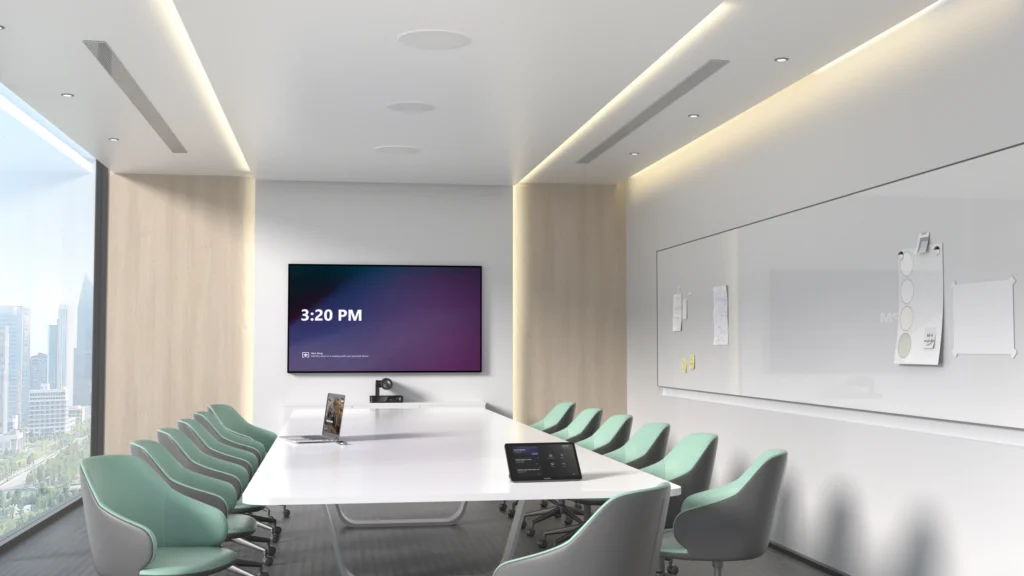
Although technology develops rapidly, it doesn’t always follow that your meeting room requires an upgrade after every couple of years. Companies believe that once the equipment gets old, they have no other choice but to replace it. It’s not always so. There are solutions that will help make an improvement in the performance of your meeting rooms at the same time saving money. Start by Looking at How Your Rooms Are Used Instead of considering the purchase of new equipment right away, it may be better to pause for a moment and evaluate how your conference rooms currently operate. Your organisation may have adopted a hybrid work model, you may have redesigned the layout of your office and/or you may be using video conferencing more frequently than you were when the equipment was originally installed. Not Every Component Needs Replacing Meeting room systems are composed of various technologies used together, like cameras, microphones, screens, speakers and room control systems. It does not necessarily mean that the whole system is done for when one component is performing sub-optimally. Take for instance, changing out a sub-optimal camera to a more advanced one equipped with artificial intelligence or enhancing your microphones. Think Beyond Today’s Requirements If you have any upgrade plans, it is worthwhile thinking about where your organisation might be headed in the next few years. Will hybrid meetings continue to be prevalent? Is your workforce going to increase? Is there going to be any office refurbishment work? In many cases, opting for technology that will keep up with your organisation’s growth makes more sense than simply upgrading like-for-like. Get Expert Advice Before Making a Decision Every workplace is different and there’s no universal answer when it comes to upgrading meeting room technology. A professional review can identify which parts of your system are still performing well, which components would benefit from an upgrade and where your budget will have the greatest impact. Final Thoughts Replacing your meeting room technology isn’t always the most cost-effective solution. By reviewing your existing systems and understanding how your meeting spaces are used, you can make informed decisions that improve performance while extending the life of your current investment. Whether that means upgrading individual components or planning a full refurbishment, taking the time to assess your options will help ensure your technology continues to support your business for years to come. If you’re considering upgrading your meeting room technology or would like advice on improving your existing AV setup, our team is here to help. Get in touch to discuss your requirements and we’ll help you find the solution that’s right for your business.
Is It Time to Upgrade Your Meeting Room Technology?

When the COVID-19 pandemic began, businesses had to change how they communicated almost overnight. With employees working from home and face-to-face meetings no longer possible, video conferencing quickly became essential. Many companies rushed to invest in cameras, microphones, interactive displays and wireless presentation systems so their teams could continue meeting and collaborating. These solutions solved an immediate problem, but they were often purchased quickly and without the opportunity to consider how meeting rooms would be used in the longer term. Several years on, it is worth asking: is the technology you invested in still right for your business? The answer may not require a complete replacement. In many cases, upgrading certain components can improve performance and extend the life of the existing system. Why Are Businesses Reviewing Their Meeting Room Technology Now? The technology installed during the pandemic helped businesses respond to an urgent need. However, working practices have continued to evolve. Hybrid meetings are now a permanent part of working life for many organisations. Employees expect meetings to start on time, equipment to be easy to use and remote participants to be able to see and hear everyone clearly. Camera technology, intelligent audio, room controls and AI-powered meeting features have also improved significantly. Older systems may still work, but they may not provide the experience employees and customers now expect. Rather than simply asking whether your meeting room technology still works, consider whether it still supports how your business operates today. Five Signs It Might Be Time For an Upgrade 1. Meetings regularly start with technical problemsIf users frequently experience connection issues, audio problems or equipment that needs restarting, your meeting room technology should be reviewed. 2. Remote participants struggle to see or hear clearlyPoor audio is one of the biggest barriers to effective hybrid meetings. If remote attendees cannot follow conversations or see the people speaking, upgrading the microphones, speakers or cameras could make a significant difference. 3. Your meeting rooms are being used differentlyA room originally equipped for occasional video calls may now be used every day for hybrid meetings, training sessions and customer presentations. If the use of the space has changed, the technology may no longer be suitable. 4. Your system does not support newer featuresOlder hardware may not support the latest Microsoft Teams, Zoom or Google Meet functionality. This could limit access to features such as intelligent camera framing, voice recognition, meeting transcription and AI-generated recaps. 5. Staff avoid certain meeting roomsIf employees consistently choose one room because it is easier or more reliable, this is often a sign that the technology experience is inconsistent across your workplace. An Upgrade Does Not Always Mean a Complete Replacement A common misconception is that ageing meeting room technology must be removed and replaced entirely. In reality, many businesses can achieve a significant improvement by upgrading specific components, such as the camera, microphones, display or wireless presentation system. A professional meeting room assessment can identify what is still performing well, where the main problems are and how your budget can be spent most effectively. Final Thoughts If your meeting room technology was purchased quickly during the pandemic, now is a good time to review whether it still meets the needs of your business. Working practices have changed, employee expectations have increased and meeting room technology has moved forward. Reviewing how your rooms are currently used can help you improve collaboration, create a better experience for remote participants and extend the life of your existing equipment. Whether you are considering a full meeting room refurbishment or a smaller technology upgrade, Rapid Technologies can assess your current setup and recommend the most suitable next steps. Contact our team to arrange a meeting room technology review.
Modernising Training & Collaboration at East Cheshire Hospice

About the Organisation East Cheshire Hospice is a leading charity providing specialist palliative and end-of-life care for adults across Cheshire. Alongside delivering exceptional care, the hospice is committed to supporting its staff and volunteers with ongoing training, education and collaboration. To help achieve this, the hospice wanted to modernise several key spaces throughout the building, creating flexible environments that better supported hybrid working, staff development and day-to-day communication. The Challenge The training room at the hospice had become outmoded in view of current learning requirements. Limited to one display for presentation through video conferencing, the room did not have a camera for remote access and the staff had to use laptops and cables for accessing Microsoft Teams.Outdated sound equipment and flip charts further made the room obsolete. Apart from the training room, the hospice aimed at improving communication throughout the site by creating a good reception area and training rooms with collaborative technology. Delivering the Solution Collaborating with the hospice, we provided the full AV transformation, which included improvements for enhancing communication, collaboration and training at multiple locations within the organisation. “The team designed a solution based on our requirements and our use cases… the installation was smooth and was completed to a high standard.” The primary training room was equipped with two interactive displays, smart Yealink video conferencing, as well as an advanced professional audio system in order to turn it into the hybrid solution for presenting, collaborating and training staff members in-person or online. “The investment has enables East Cheshire Hospice to modernise our meeting and collaboration spaces… we feel we’ve got the best AV technology that supports our clinical meetings, business meetings and also training and development and those hybrid meetings as well.” Wireless presentation systems and room booking panels made this process even more convenient, since meetings and training can be started right away. At the same time, we set up a Clevertouch digital signage totem in the reception area, which will greet guests with fresh news, notifications and other important updates. The Clevertouch CL Pro 43″ interactive display with the Clevershare wireless presentation system was also introduced in order to make the process of training easier by enabling the presentation of educational videos and demonstrations. The SMART Board interactive display was set up in the main office to make the work process more productive and collaborative. The screen is used by the social media team to monitor performance metrics, alongside other dashboards that help support day-to-day decision making and operational visibility. Having this information available at a glance makes it easier for teams to stay informed, track progress and respond quickly when needed. The Impact The latest AV technologies have completely revolutionised the way that East Cheshire Hospice trains, collaborates and communicates within its organisation. There are options to conduct professional hybrid training sessions, exchange information wirelessly and collaborate much better with the help of user-friendly technology. There is also digital signage for guests and modern meeting/training rooms to facilitate communication. With their focus on future-ready AV technology, the staff, volunteers and visitors at East Cheshire Hospice have been provided with connected places that will serve them well in the years to come. “Rapid are very professional, very committed, specialists in the area, who understand the technologies and the customers’ requirements. Everything is done to a high standard that meets the customers needs.” Project Summary With Rapid’s help, East Cheshire Hospice received a comprehensive AV refresh, with training rooms, meeting rooms and reception areas outfitted with interactive displays, video conferencing, digital signage, wireless presentation systems and professional audio systems. This creates a modern and networked space that facilitates collaboration and communication at the hospice, in line with its commitment to excellent patient care and training. If you’re planning to upgrade your meeting rooms, training facilities or collaborative spaces, we’d love to help. Contact our team to discuss your requirements.
Focus & Huddle Spaces: Small Rooms, Big Collaboration
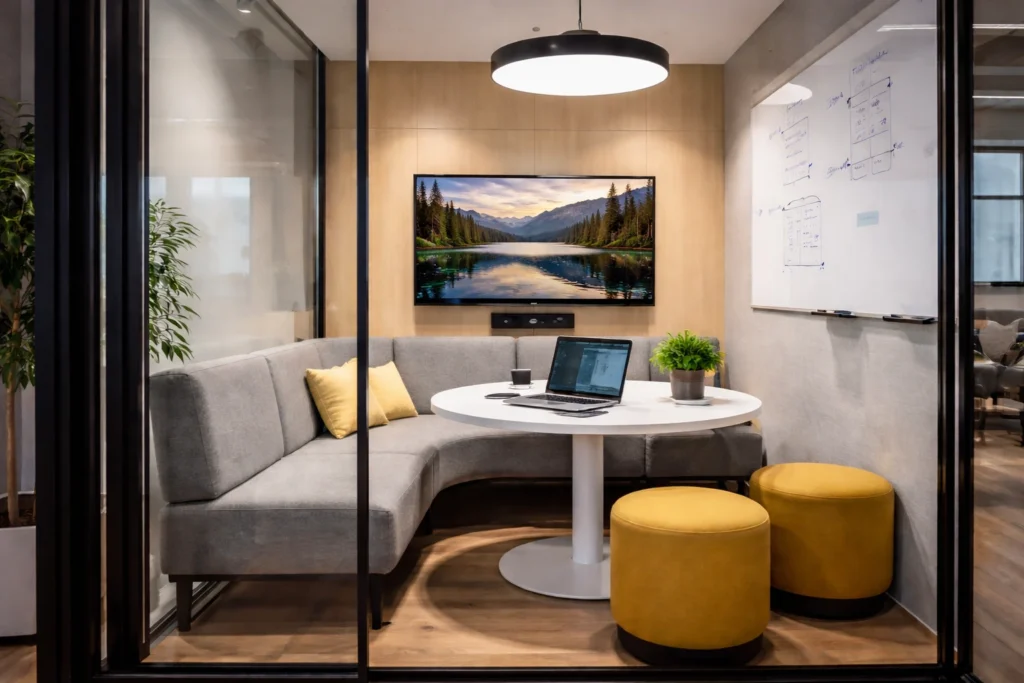
Focus rooms and huddle spaces are now a staple in the modern workplace. These collaborative rooms are designed for short meetings and working sessions; therefore, equipment should also be easy to understand and operate. At the heart of most huddle rooms is video conferencing, where the quality of cameras, microphones and speakers allows for easy engagement and feeling part of the session for remote colleagues, coupled with easy and convenient one-touch meeting joins. Interactive displays create a further layer of collaboration. Within a group, a team can brainstorm, make annotations, and even collaborate in real-time, whether or not all team members are present in the room. The interactive displays promote collaboration without compromising simplicity. To ensure that the space runs smoothly, room booking systems enable the avoidance of double bookings. This reduces cases of unproductive use of time and space. Room availability panels help in improving space occupancy in the office through their easy integration with the office space. Additionally, environments like these can utilise digital signage with meeting room schedules and communications to keep employees informed and on task. When a focus and huddle space are implemented properly, they eliminate confusion and facilitate collaboration. The focus and huddle space technology becomes seamless and helps people concentrate to share their ideas. Speak to our team to find out how we can help design and install huddle space technology that works seamlessly from day one.
Transforming Synextra’s New Office into a Smarter, Connected Workplace
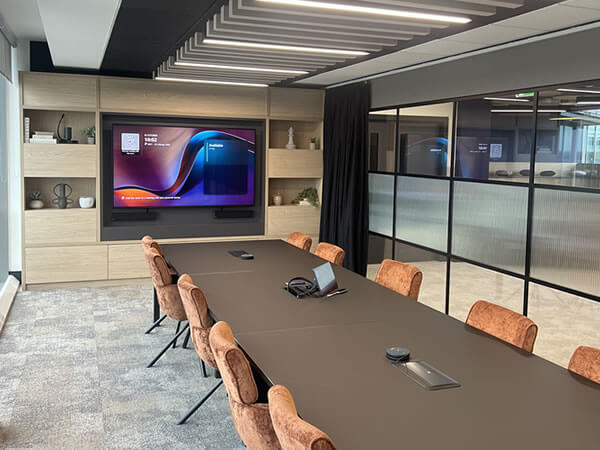
Scope of Work Synextra is a fast-growing IT support and cloud services provider based in Warrington, known for helping businesses modernise their technology and improve efficiency. When the company relocated to a brand-new office space, they wanted their workplace to reflect the same innovation and connectivity they deliver for their own clients. To achieve this, Synextra partnered with us to design and install a suite of audio-visual solutions that would enhance collaboration, simplify hybrid meetings and create a seamless experience for all users, from tech enthusiasts to those less familiar with AV systems. Meeting Rooms We equipped three meeting rooms with large-format Sony commercial displays and Yealink Microsoft Teams Room systems, creating an intuitive, plug-and-play experience for video calls and presentations. Each room was also fitted with Joan Room Booking Panels mounted on the glass panels outside, making it easy for staff to check availability, book meetings and manage room usage in real time. The combination of Yealink and Joan technology ensures meetings start smoothly and stay on schedule. Boardroom In the main boardroom, we installed a Yealink MVC S90 system to deliver exceptional video and audio quality for executive and client meetings. The system includes dual PTZ cameras for flexible framing, wireless microphones for clear sound and integrated speakers for even room coverage. A Joan Room Booking Panel was also installed outside the boardroom to provide instant visibility of bookings and availability. Collaboration Area To support informal discussions and team collaboration, we fitted the open-plan area with an iiyama interactive display, powered by Mago Pro software and paired with an iiyama UC Pro camera. This setup created a versatile space for spontaneous meetings, brainstorming sessions and content sharing, perfectly suited to a modern hybrid workplace. The Mago Pro collaboration platform enables users to wirelessly share content, annotate in real time and launch video meetings with ease, eliminating the need for cables or complicated setups. Its intuitive interface makes it simple for teams to present ideas, review documents and collaborate interactively, whether they’re in the room or joining remotely. The iiyama UC Pro camera ensures every meeting is delivered in crisp, high-definition quality, providing clear visuals and accurate framing for all participants. Together, these technologies give Synextra’s team a flexible, future-ready collaboration space that enhances communication and encourages creativity across departments. Here’s a few words from Synextra’s Executive Assistant, Chi Lee on their experience working with us: Did our team meet your expectations in terms of service and support? “Yes, they were great. Really handy and great communication.” The Synextra team found the installation process smooth and efficient, with strong communication from start to finish. How has the technology improved your operations? One sentence to describe your experience: “Efficient, knowledgeable, helpful and engaging.” Looking to upgrade your meeting spaces?Discover how we can help you create smarter, more connected environments with intuitive AV solutions. Speak to us today to book your very own consultation!
Why October 2025’s Teams Rooms Windows 10 Cut-off Matters More Than You Think
Meeting rooms are where it happens in hybrid work. But Microsoft is discontinuing support for Teams Rooms on Windows 10 on 14 October 2025 and it’s a bigger deal than it initially appears. Once support ends, the systems will not be provided with security patches and updates and will be exposed to attack. Technical support also will be discontinued and new features within Teams may no longer work on older systems. Not all Teams Room equipment can be upgraded to Windows 11. Solutions such as the Crestron Skull Canyon (C100, CX100) cannot be upgraded, but others, even recently released Poly or Logitech NUCs can have upgrade options available. If your meeting rooms have not been assessed in a couple of years, the time is now. Start with getting all your Teams Rooms devices audited, checking OS versions and identifying what can be upgraded and what has to be replaced. Start with high-traffic and client-facing spaces first and test the upgrades to ensure everything is okay, from control panels and booking systems to screens and cameras. This’s not about keeping up. It’s about maintaining trust, security and reliability across your collaboration spaces. Out-of-support systems introduce compliance issues, integration holdups and downtime, which no business can afford. Taking action now, you transform a required upgrade into an opportunity to upgrade your meeting rooms, enhance performance and future-proof your investment. Struggling to plan your Teams Rooms upgrade? Contact us today — we’ll guide you every step of the way.
5 Questions to Ask Before Starting Your AV Project

Plan Your AV Project with Confidence Whether you’re upgrading a meeting room, rolling out digital signage, or designing a new collaborative workspace, a successful AV project starts with asking the right questions. At Rapid, we’ve seen too many AV installations fall short, not because of poor products, but because they weren’t properly planned. As a UK AV integrator, we help businesses avoid these issues by focusing on the bigger picture from day one. Here are five key questions to ask before you start any AV project. This may seem obvious, but it’s often overlooked. Are you trying to: Defining your goals upfront ensures that every decision, from product choice to room layout supports your desired outcome. 2. Who Will Be Using the System? A sleek control panel or state-of-the-art display is only effective if your team can use it with confidence. Consider: Understanding the user journey helps us design intuitive systems that don’t require constant IT support. 3. How Will the Technology Fit Into the Space? The best AV solution will feel like a natural part of your space. That means thinking about: We’ll work with you to make sure the setup is aesthetic, functional and future-proof, whether you’re fitting out a boardroom, breakout area or huddle space. 4. What’s Your Budget and What’s the Lifecycle? It’s important to look beyond the initial cost. Think about: We’ll help you balance short-term needs with long-term value, ensuring your investment continues to deliver over time. 5. Who’s Managing the Project? An AV installation involves more than just mounting a screen. There’s cabling, network configuration, power requirements, software setup and testing, plus coordination with IT, facilities and sometimes third-party contractors. Choosing an AV partner that offers end-to-end project management ensures your rollout is smooth, on time and on budget. How Rapid Can Help? As a trusted UK AV integrator, we support organisations at every stage of the process, from initial consultation and design, through to installation, training and aftercare. Whether you’re upgrading a single room or implementing tech across multiple sites, we ask the right questions to deliver AV solutions that are: Ready to Talk? If you’re planning an AV project and want practical advice (with no hard sell), we’re here to help. Our experienced team offers free consultations to get you started the right way. Check out our full range of AV services now or Speak to one of our our AV experts today!
Top AV Products and Tools for Small Businesses
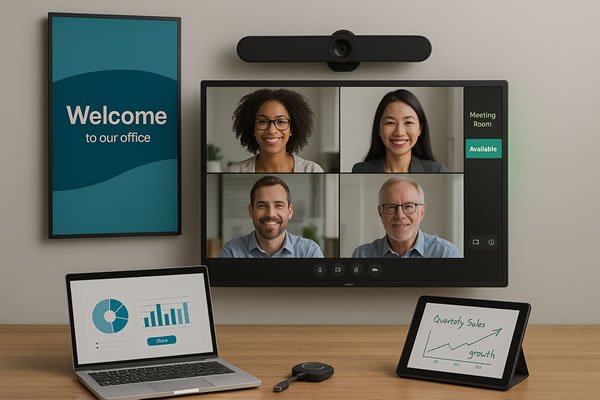
For small businesses, choosing the right audio visual (AV) tools can make a huge difference. Once seen as something only large corporations could afford, AV solutions are now more accessible than ever. From video conferencing to digital signage, modern AV products help small businesses improve collaboration, enhance client communication and create a professional workplace environment. At Rapid Technologies, we design and install AV solutions tailored to the needs of UK businesses. Here are some of the top AV products for small businesses that can make an immediate impact. Video Conferencing For Small Businesses With hybrid and remote working now part of everyday life, reliable video conferencing systems are essential. While platforms like Microsoft Teams and Zoom are common, the real difference comes from dedicated AV hardware, high-definition cameras, microphones and soundbars. Clear video and audio help small businesses appear professional and make client meetings far more productive. Our team helps companies integrate conferencing solutions that are simple to use and easy to manage. Interactive Displays For Offices Interactive displays are quickly becoming one of the most popular AV tools for small businesses. These touch-enabled screens allow teams to brainstorm, present ideas and collaborate with remote colleagues in real time. For client meetings, they make presentations more engaging and memorable. Compact, flexible and modern, interactive displays are ideal for small offices and meeting rooms where space is limited. Wireless Presentation Systems Passing cables around the table is a thing of the past. Wireless presentation systems, such as Barco ClickShare, let users share content instantly from laptops or mobile devices. This kind of AV technology encourages collaboration, speeds up meetings and eliminates the frustration of tangled wires. For small businesses looking to modernise their meeting rooms quickly, wireless presentation tools are an affordable and effective solution. Digital Signage For Small Businesses First impressions are everything. Digital signage provides a sleek way to welcome visitors, display branded content and communicate important messages. For customer-facing businesses, it can promote offers or events, while for internal use it’s a great way to share company news with employees. Small businesses benefit from the flexibility of digital signage, as updates are quick, cost-effective and eye-catching. Meeting Room Technology & Booking Systems In busy offices, managing meeting space can be a real challenge. Room booking systems and integrated AV tools make scheduling seamless, ensuring resources are used efficiently. Digital signage outside meeting rooms can display availability at a glance, creating a modern and professional feel. Bringing It All Together Investing in the right small business AV solutions isn’t just about looking professional, it’s about improving teamwork, communication and customer experience. At Rapid Technologies, we specialise in AV integration services across the UK, helping businesses of all sizes get the most out of their technology. If you’re looking to explore the best AV products for small businesses, our team would be delighted to help design a solution that works for you. Speak to us today.