
Upgrade or Replace? Making the Right Decision for Your Meeting Room Technology
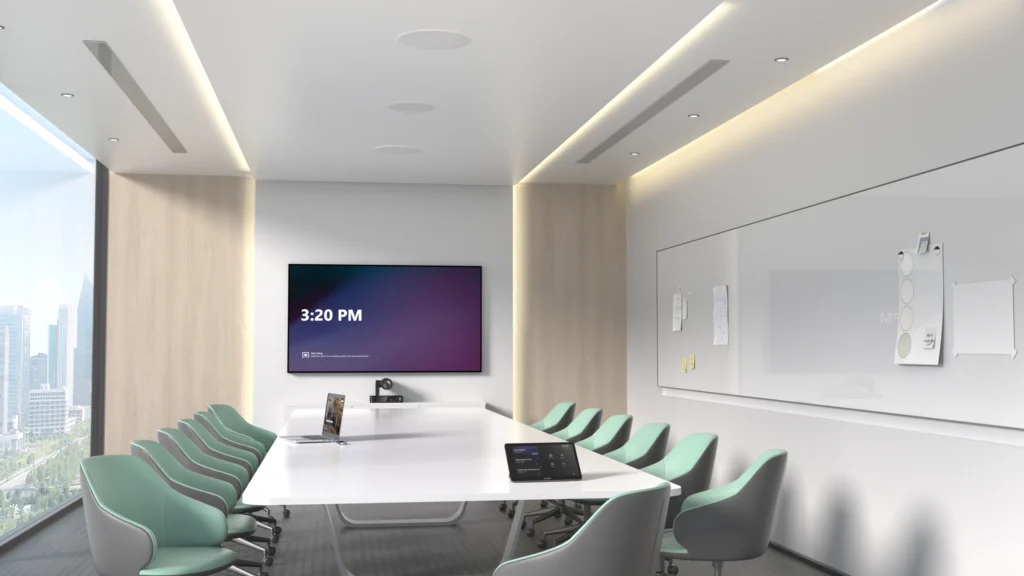
Although technology develops rapidly, it doesn’t always follow that your meeting room requires an upgrade after every couple of years. Companies believe that once the equipment gets old, they have no other choice but to replace it. It’s not always so. There are solutions that will help make an improvement in the performance of your meeting rooms at the same time saving money. Start by Looking at How Your Rooms Are Used Instead of considering the purchase of new equipment right away, it may be better to pause for a moment and evaluate how your conference rooms currently operate. Your organisation may have adopted a hybrid work model, you may have redesigned the layout of your office and/or you may be using video conferencing more frequently than you were when the equipment was originally installed. Not Every Component Needs Replacing Meeting room systems are composed of various technologies used together, like cameras, microphones, screens, speakers and room control systems. It does not necessarily mean that the whole system is done for when one component is performing sub-optimally. Take for instance, changing out a sub-optimal camera to a more advanced one equipped with artificial intelligence or enhancing your microphones. Think Beyond Today’s Requirements If you have any upgrade plans, it is worthwhile thinking about where your organisation might be headed in the next few years. Will hybrid meetings continue to be prevalent? Is your workforce going to increase? Is there going to be any office refurbishment work? In many cases, opting for technology that will keep up with your organisation’s growth makes more sense than simply upgrading like-for-like. Get Expert Advice Before Making a Decision Every workplace is different and there’s no universal answer when it comes to upgrading meeting room technology. A professional review can identify which parts of your system are still performing well, which components would benefit from an upgrade and where your budget will have the greatest impact. Final Thoughts Replacing your meeting room technology isn’t always the most cost-effective solution. By reviewing your existing systems and understanding how your meeting spaces are used, you can make informed decisions that improve performance while extending the life of your current investment. Whether that means upgrading individual components or planning a full refurbishment, taking the time to assess your options will help ensure your technology continues to support your business for years to come. If you’re considering upgrading your meeting room technology or would like advice on improving your existing AV setup, our team is here to help. Get in touch to discuss your requirements and we’ll help you find the solution that’s right for your business.
Is It Time to Upgrade Your Meeting Room Technology?
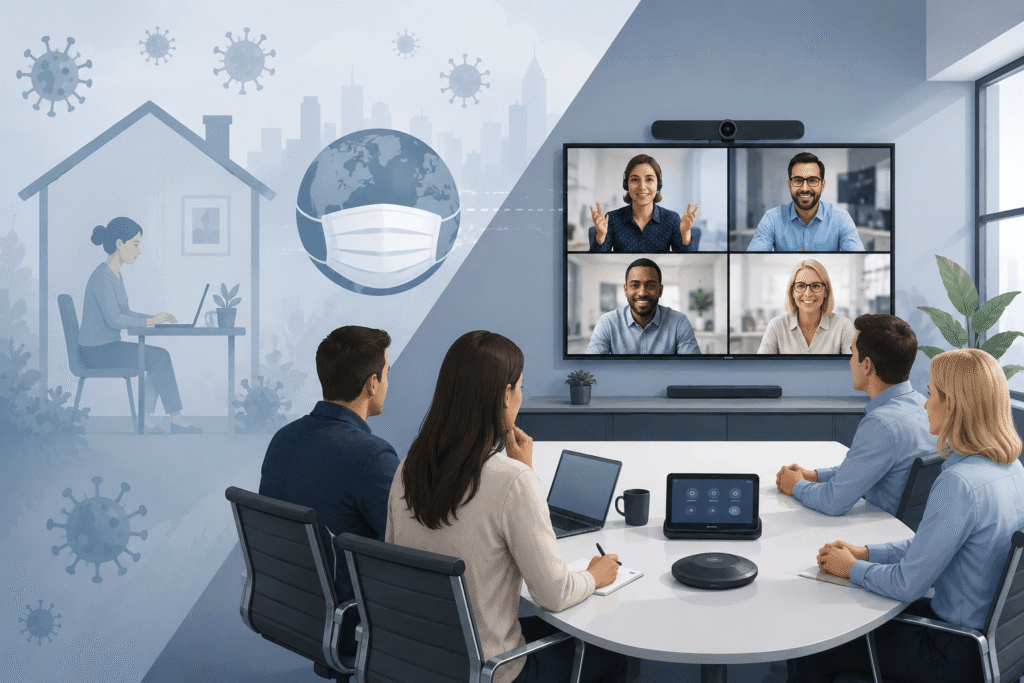
When the COVID-19 pandemic began, businesses had to change how they communicated almost overnight. With employees working from home and face-to-face meetings no longer possible, video conferencing quickly became essential. Many companies rushed to invest in cameras, microphones, interactive displays and wireless presentation systems so their teams could continue meeting and collaborating. These solutions solved an immediate problem, but they were often purchased quickly and without the opportunity to consider how meeting rooms would be used in the longer term. Several years on, it is worth asking: is the technology you invested in still right for your business? The answer may not require a complete replacement. In many cases, upgrading certain components can improve performance and extend the life of the existing system. Why Are Businesses Reviewing Their Meeting Room Technology Now? The technology installed during the pandemic helped businesses respond to an urgent need. However, working practices have continued to evolve. Hybrid meetings are now a permanent part of working life for many organisations. Employees expect meetings to start on time, equipment to be easy to use and remote participants to be able to see and hear everyone clearly. Camera technology, intelligent audio, room controls and AI-powered meeting features have also improved significantly. Older systems may still work, but they may not provide the experience employees and customers now expect. Rather than simply asking whether your meeting room technology still works, consider whether it still supports how your business operates today. Five Signs It Might Be Time For an Upgrade 1. Meetings regularly start with technical problemsIf users frequently experience connection issues, audio problems or equipment that needs restarting, your meeting room technology should be reviewed. 2. Remote participants struggle to see or hear clearlyPoor audio is one of the biggest barriers to effective hybrid meetings. If remote attendees cannot follow conversations or see the people speaking, upgrading the microphones, speakers or cameras could make a significant difference. 3. Your meeting rooms are being used differentlyA room originally equipped for occasional video calls may now be used every day for hybrid meetings, training sessions and customer presentations. If the use of the space has changed, the technology may no longer be suitable. 4. Your system does not support newer featuresOlder hardware may not support the latest Microsoft Teams, Zoom or Google Meet functionality. This could limit access to features such as intelligent camera framing, voice recognition, meeting transcription and AI-generated recaps. 5. Staff avoid certain meeting roomsIf employees consistently choose one room because it is easier or more reliable, this is often a sign that the technology experience is inconsistent across your workplace. An Upgrade Does Not Always Mean a Complete Replacement A common misconception is that ageing meeting room technology must be removed and replaced entirely. In reality, many businesses can achieve a significant improvement by upgrading specific components, such as the camera, microphones, display or wireless presentation system. A professional meeting room assessment can identify what is still performing well, where the main problems are and how your budget can be spent most effectively. Final Thoughts If your meeting room technology was purchased quickly during the pandemic, now is a good time to review whether it still meets the needs of your business. Working practices have changed, employee expectations have increased and meeting room technology has moved forward. Reviewing how your rooms are currently used can help you improve collaboration, create a better experience for remote participants and extend the life of your existing equipment. Whether you are considering a full meeting room refurbishment or a smaller technology upgrade, Rapid Technologies can assess your current setup and recommend the most suitable next steps. Contact our team to arrange a meeting room technology review.
Why Are More Businesses Choosing Divisible Meeting Rooms?
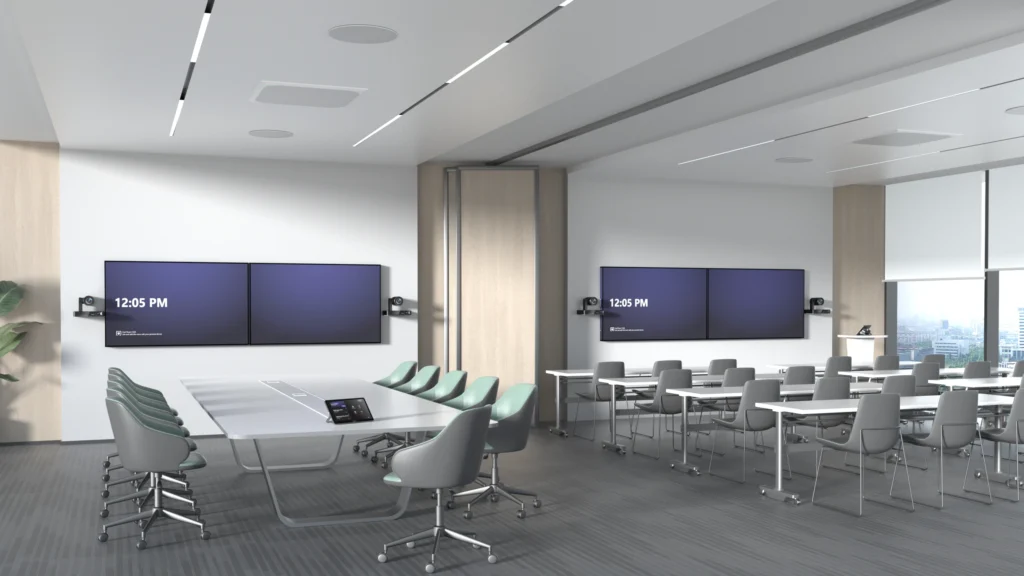
What Is a Divisible Meeting Room? A divisible meeting room is designed to operate as two or more independent meeting spaces, with the ability to open the partition and combine them into one larger room when additional capacity is needed. For example, a business might have two meeting rooms that each accommodate around 15 people. During a normal working day, both rooms can host separate meetings at the same time, each with its own display, camera, microphones, speakers and Microsoft Teams Rooms or Zoom Rooms system. When the partition is opened, the rooms can be combined into a larger space for 40–50 people. This creates a much more practical setting for: It gives businesses the flexibility of two everyday meeting rooms without losing the ability to bring larger groups together when required. How Does a Divisible Video Conferencing Room Work? The challenge is not simply opening and closing a movable wall. The video conferencing, audio and control systems must also respond correctly to each room configuration. When the partition is closed, each room should operate independently. Users should be able to start their own Microsoft Teams or Zoom meeting without affecting the room next door. Each space needs its own camera coverage, microphones, speakers, displays and meeting room controls. When the partition is opened, the technology can be programmed to switch into combined mode. The cameras, microphones, speakers and displays across both spaces then work together as one larger video conferencing system.From the user’s point of view, this should be straightforward. They select whether the rooms are being used separately or together or the system detects the partition position and the correct equipment becomes available. Two Independent Teams Rooms or Zoom Rooms In divided mode, each room can provide a complete and consistent meeting experience. Both rooms can have their own: This allows two groups to hold separate hybrid meetings at the same time, with no crossover between the audio, video or content being shared. Good acoustic separation is equally important. The partition and audio system must be designed to prevent conversations and sound from one room disrupting meetings in the other. One Larger Combined Meeting Space In combined mode, the rooms need to function as a single, joined-up environment. The system can use cameras positioned throughout the space to provide suitable coverage of presenters and attendees. Additional microphones and carefully positioned commercial audio ensure that people can be heard clearly, including those joining remotely. Content can also be shown across multiple displays so that everyone in the expanded room has a clear view. For larger training sessions or town halls, presenters may also use wireless microphones to address the room and take questions from the audience. The aim is to make the combined space feel like a purpose-built large meeting room, rather than two smaller rooms that have simply had the wall removed. Why are Businesses Investing in Divisible Meeting Rooms? Office space needs to support a wider range of activities than it once did. A business may need several smaller rooms for everyday meetings but still require a larger space for company-wide communication, training and collaboration. A divisible room provides both options within the same footprint. It can help a business: A combined space can also make larger hybrid meetings more inclusive by providing better camera coverage and clearer audio for remote attendees. The Technology Needs To Be Planned From The Start One of the most common mistakes is treating the AV system as an addition after the room layout and partition have already been agreed. A movable wall may divide the physical space, but the technology determines whether both room configurations are genuinely usable. Camera positions, microphone coverage, speaker zones, displays, cabling, acoustics and control systems all need to be considered during the design stage. The Microsoft Teams Rooms or Zoom Rooms setup must also be designed carefully so that users have a simple and consistent way to operate the system in both divided and combined modes. Planning the technology early allows it to be properly coordinated with the partition, furniture, lighting, network and room booking requirements. Creating a Genuinely Flexible Meeting Environment A well-designed divisible meeting room gives businesses the best of both worlds: two smaller rooms for everyday video conferencing and one larger space for training, town halls and staff meetings. The key is making sure the technology is as flexible as the room itself. Users should not need technical knowledge to change configurations or work out which microphones, cameras and displays to use. Rapid Technologies can design and install divisible Microsoft Teams Rooms and Zoom Rooms that operate independently or combine into a larger video conferencing space. If you are planning an office fit-out, refurbishment or meeting room upgrade, involve our AV team early to ensure the complete system works seamlessly in every room configuration.
Modernising Training & Collaboration at East Cheshire Hospice

About the Organisation East Cheshire Hospice is a leading charity providing specialist palliative and end-of-life care for adults across Cheshire. Alongside delivering exceptional care, the hospice is committed to supporting its staff and volunteers with ongoing training, education and collaboration. To help achieve this, the hospice wanted to modernise several key spaces throughout the building, creating flexible environments that better supported hybrid working, staff development and day-to-day communication. The Challenge The training room at the hospice had become outmoded in view of current learning requirements. Limited to one display for presentation through video conferencing, the room did not have a camera for remote access and the staff had to use laptops and cables for accessing Microsoft Teams.Outdated sound equipment and flip charts further made the room obsolete. Apart from the training room, the hospice aimed at improving communication throughout the site by creating a good reception area and training rooms with collaborative technology. Delivering the Solution Collaborating with the hospice, we provided the full AV transformation, which included improvements for enhancing communication, collaboration and training at multiple locations within the organisation. “The team designed a solution based on our requirements and our use cases… the installation was smooth and was completed to a high standard.” The primary training room was equipped with two interactive displays, smart Yealink video conferencing, as well as an advanced professional audio system in order to turn it into the hybrid solution for presenting, collaborating and training staff members in-person or online. “The investment has enables East Cheshire Hospice to modernise our meeting and collaboration spaces… we feel we’ve got the best AV technology that supports our clinical meetings, business meetings and also training and development and those hybrid meetings as well.” Wireless presentation systems and room booking panels made this process even more convenient, since meetings and training can be started right away. At the same time, we set up a Clevertouch digital signage totem in the reception area, which will greet guests with fresh news, notifications and other important updates. The Clevertouch CL Pro 43″ interactive display with the Clevershare wireless presentation system was also introduced in order to make the process of training easier by enabling the presentation of educational videos and demonstrations. The SMART Board interactive display was set up in the main office to make the work process more productive and collaborative. The screen is used by the social media team to monitor performance metrics, alongside other dashboards that help support day-to-day decision making and operational visibility. Having this information available at a glance makes it easier for teams to stay informed, track progress and respond quickly when needed. The Impact The latest AV technologies have completely revolutionised the way that East Cheshire Hospice trains, collaborates and communicates within its organisation. There are options to conduct professional hybrid training sessions, exchange information wirelessly and collaborate much better with the help of user-friendly technology. There is also digital signage for guests and modern meeting/training rooms to facilitate communication. With their focus on future-ready AV technology, the staff, volunteers and visitors at East Cheshire Hospice have been provided with connected places that will serve them well in the years to come. “Rapid are very professional, very committed, specialists in the area, who understand the technologies and the customers’ requirements. Everything is done to a high standard that meets the customers needs.” Project Summary With Rapid’s help, East Cheshire Hospice received a comprehensive AV refresh, with training rooms, meeting rooms and reception areas outfitted with interactive displays, video conferencing, digital signage, wireless presentation systems and professional audio systems. This creates a modern and networked space that facilitates collaboration and communication at the hospice, in line with its commitment to excellent patient care and training. If you’re planning to upgrade your meeting rooms, training facilities or collaborative spaces, we’d love to help. Contact our team to discuss your requirements.
Transforming Learning and Communication with a Complete AV Upgrade
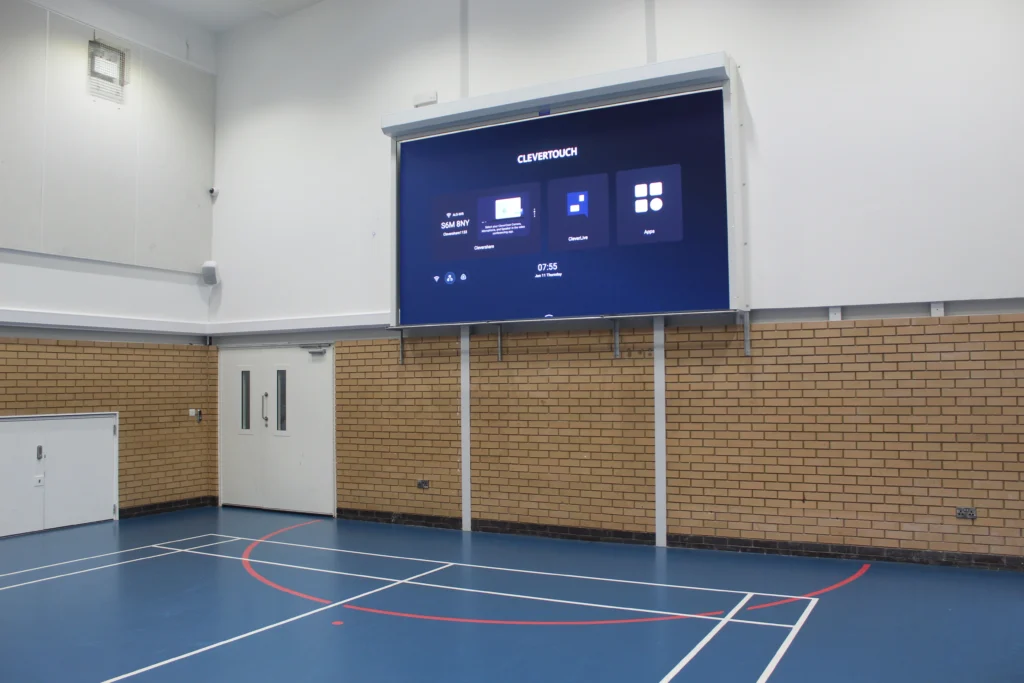
About Abbot’s Lea School Abbot’s Lea School is an outstanding specialist school in Liverpool, supporting over 270 students aged 3–19 with autism and associated learning differences. Renowned for its innovative approach to education, the school combines specialist support, academic development and life skills training to create engaging learning experiences that help every student reach their full potential. Identifying the Challenges As an active learning institution, the school required the use of technology which would help enhance the teaching process, assembly programs, collaboration between teachers and interaction with guests. In order for this to be achieved, prior to the installation of the LED screens, presentation and assembly programs held at the sports hall used two screens that had to be manually placed into position and hooked up whenever they were required. The current audio equipment present in the hall was also becoming outdated, failing to meet the standards of sound expected. Adjusting the audio controls was also a challenge since one had to navigate several rooms before accessing the control room. In addition, lack of wireless microphones limited flexibility in events like assemblies and presentations. Within other parts of the school, the headteacher lacked appropriate technology for conducting meetings, whereas the visitors in the reception had minimal exposure to the school’s activities and achievements. The school wanted a modern, intuitive solution that would improve day-to-day operations whilst creating a more engaging experience for students, staff and guests. Delivering the Solution By working closely with the IT & Data Manager at the school, we were able to design and implement an AV solution that was suited to the needs of the school. The key element of the work included installing a large screen 163” LED screen in the school’s sports hall. In order to facilitate easy and simple sharing of content, Clevercast wireless presentation sticks were used for easy connection between the teacher and guests without requiring any wires for connecting them to the screen. An improved audio system consisting of the Biamp speaker set-up was also installed in the auditorium. The volume knobs were put in a box that was located outside the AV room for ease of operation by staff members. To provide complete peace of mind, the LED display is protected by a purpose-built motorised roller shutter. Located within the sports hall, the screen can be safely concealed when not in use, protecting it from accidental impacts during PE lessons, sports activities and day-to-day use. This gives the school confidence that its investment is safeguarded while ensuring the technology remains available whenever it’s needed. Additional wireless handheld and lapel microphones were supplied, providing greater flexibility for assemblies, performances, presentations and guest speakers. Beyond the sports hall, a new Clevertouch LUX 86″ interactive display was installed to support larger staff meetings and collaboration sessions, while digital signage was introduced within the reception area to create a more engaging welcome experience for visitors. The Impact The new technology has transformed how the school uses its spaces on a daily basis. The teaching process can be enhanced through the use of the large LED screen in order to provide interactive and captivating classes as well as presentations to the learners. One area in which the technology has been particularly successful is during physical education classes. Interactive exercise videos are shown on the LED board. This allows students to participate in the activity, which includes moving around and getting involved in the physical education class. As an illustration, students get involved in playing with drums as well as drumsticks while participating in an interactive drumming programme. The school has also found that the technology creates an immediate impact on visitors. According to the IT & Data Manager, the technology often “sells itself”. Visiting schools and external organisations are regularly impressed by the facilities, particularly the LED screen and the simplicity of the wireless presentation system, helping showcase the school’s commitment to innovation and modern learning environments. With better sound quality, the use of the room has been improved, while the installation of wireless mics and easy-to-use controls has made life for the staff much simpler. Thanks to the success achieved through the renovation, there have been new plans to expand the AV refresh project throughout the whole school. This summer, more displays will be installed in all classrooms, meeting rooms and staff areas.
Have You Standardised on USB-C in Your Meeting Room?

How we link and power our gadgets is evolving and it’s not something companies can afford to overlook anymore. USB-C is now the international standard, thanks to new legislation that aims to streamline connections and decrease e-waste. Your conference rooms may not have adapted yet, but you might already be seeing the effects. Why USB-C Is Now the Standard In 2024, EU passed regulations stipulating that USB-C will be used as a standardised charging port on many devices, such as phones, tablets and others. This regulation not only affects the manufacturers themselves but the businesses using such devices as well. The increasing number of devices entering the workspace means that the USB-C port becomes dominant. What This Means for Your Meeting Rooms Modern conference rooms need to be well-connected – however, the combination of different cables and old-style ports can very easily cause problems. In case your system is not yet standardised, you will face: 1. Compatibility Issues Your employees or guests with new-style USB-C connections may find it difficult to connect their devices to HDMI/USB-A or other old-style ports without adapters. 2. Clutter and Confusion Different cables mean cluttering and confusion during meetings – time is wasted on figuring out which cable should be used. 3. Decreased Productivity Losing precious time connecting devices or finding necessary adapters is going to make a difference when conducting a professional meeting. 4. Poor UX Non-standardised equipment leads to user frustration, especially when dealing with clients. The Business Risks of Not Standardising Non-compliance with USB-C does not simply make things harder; there are other consequences: The trend towards devices with fewer legacy ports means becoming increasingly dependent on outdated technology is unsustainable. The Benefits of a USB-C Standardised Workspace Standardising meeting rooms based on the use of USB-C has its immediate and future benefits, which include: Is It Time to Upgrade? For all those using different connection options for their meeting rooms, it is high time that you considered upgrading them. Transitioning to USB-C is not only essential for compliance but will also allow for a seamless user experience. The USB-C is no longer the future – it is the present reality. Companies that move quickly can reap the rewards of streamlined and dependable meeting facilities, while companies that hesitate will find themselves at a disadvantage. For anyone seeking to standardise their meeting rooms and secure their audio-visual capabilities for the future, reach out to us and we’ll show you how.
Sound Masking vs Sound Proofing
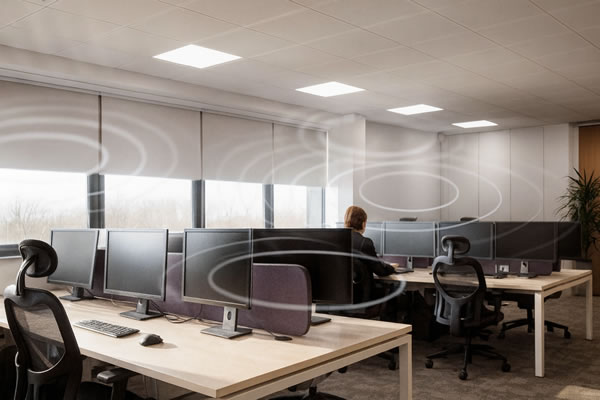
Sound Masking vs. Sound Proofing: What’s the Difference? Noise control is one of the critical factors to consider in designing a productive and comfortable working environment. Whether you’re designing an office, healthcare environment, education setting, or any space where privacy and focus matter, understanding the difference between sound masking and soundproofing is key. While both terms are often used interchangeably, they serve very different purposes and deliver different results. What is Sound Masking? Sound masking adds an unobtrusive background noise to a space that reduces how far conversations can be heard. Instead of blocking noise, it works by covering the noise with a specifically engineered sound-usually similar in character to soft airflow. This diminishes speech intelligibility so that nearby conversations blend into the background and become less distracting. Modern systems allow you to fine-tune the sound for different zones, including open offices, meeting rooms, call centres, and reception areas. The goal isn’t to make a space louder but to create a consistent acoustic environment that supports productivity and protects privacy. Benefits of Sound Masking: What is Sound Proofing? Soundproofing involves physically blocking, absorbing, or isolating sound to stop its entrance or exit from a room. This often requires architectural changes such as insulated walls, acoustic panels, specialist doors, ceiling treatments, or floor underlays. This is designed to provide a barrier that prevents sound transmission between spaces. Because soundproofing generally depends on materials and construction methods, planning usually occurs during the initial stages of a building or renovation project, although retrofitting is still possible. Benefits of Sound Proofing: Which Solution Is Right for You? Your choice depends on the challenges you’re trying to solve. Consider sound masking to improve privacy in open areas, reduce distractions, or increase comfort without major construction work. Choose sound proofing whenever sound transmission between rooms needs to be blocked, confidentiality is required, or acoustics must be controlled in performance, broadcasting, or specialist applications. In many workplaces, a combination of both offers the most effective result. How we can help? If you want to increase acoustic privacy, reduce distractions, or boost productivity in the workplace, we can help. We design and install professional sound masking solutions tailored to your environment. Contact us today to arrange a consultation, and we’ll find the right solution for your space.
Transforming Synextra’s New Office into a Smarter, Connected Workplace
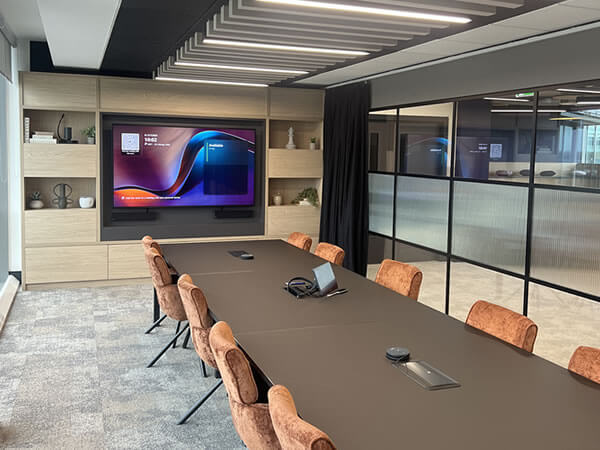
Scope of Work Synextra is a fast-growing IT support and cloud services provider based in Warrington, known for helping businesses modernise their technology and improve efficiency. When the company relocated to a brand-new office space, they wanted their workplace to reflect the same innovation and connectivity they deliver for their own clients. To achieve this, Synextra partnered with us to design and install a suite of audio-visual solutions that would enhance collaboration, simplify hybrid meetings and create a seamless experience for all users, from tech enthusiasts to those less familiar with AV systems. Meeting Rooms We equipped three meeting rooms with large-format Sony commercial displays and Yealink Microsoft Teams Room systems, creating an intuitive, plug-and-play experience for video calls and presentations. Each room was also fitted with Joan Room Booking Panels mounted on the glass panels outside, making it easy for staff to check availability, book meetings and manage room usage in real time. The combination of Yealink and Joan technology ensures meetings start smoothly and stay on schedule. Boardroom In the main boardroom, we installed a Yealink MVC S90 system to deliver exceptional video and audio quality for executive and client meetings. The system includes dual PTZ cameras for flexible framing, wireless microphones for clear sound and integrated speakers for even room coverage. A Joan Room Booking Panel was also installed outside the boardroom to provide instant visibility of bookings and availability. Collaboration Area To support informal discussions and team collaboration, we fitted the open-plan area with an iiyama interactive display, powered by Mago Pro software and paired with an iiyama UC Pro camera. This setup created a versatile space for spontaneous meetings, brainstorming sessions and content sharing, perfectly suited to a modern hybrid workplace. The Mago Pro collaboration platform enables users to wirelessly share content, annotate in real time and launch video meetings with ease, eliminating the need for cables or complicated setups. Its intuitive interface makes it simple for teams to present ideas, review documents and collaborate interactively, whether they’re in the room or joining remotely. The iiyama UC Pro camera ensures every meeting is delivered in crisp, high-definition quality, providing clear visuals and accurate framing for all participants. Together, these technologies give Synextra’s team a flexible, future-ready collaboration space that enhances communication and encourages creativity across departments. Here’s a few words from Synextra’s Executive Assistant, Chi Lee on their experience working with us: Did our team meet your expectations in terms of service and support? “Yes, they were great. Really handy and great communication.” The Synextra team found the installation process smooth and efficient, with strong communication from start to finish. How has the technology improved your operations? One sentence to describe your experience: “Efficient, knowledgeable, helpful and engaging.” Looking to upgrade your meeting spaces?Discover how we can help you create smarter, more connected environments with intuitive AV solutions. Speak to us today to book your very own consultation!
Why October 2025’s Teams Rooms Windows 10 Cut-off Matters More Than You Think
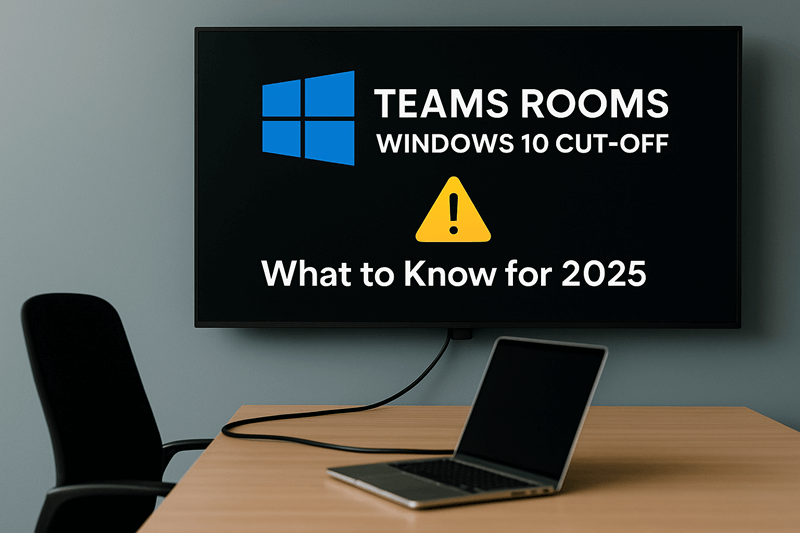
Meeting rooms are where it happens in hybrid work. But Microsoft is discontinuing support for Teams Rooms on Windows 10 on 14 October 2025 and it’s a bigger deal than it initially appears. Once support ends, the systems will not be provided with security patches and updates and will be exposed to attack. Technical support also will be discontinued and new features within Teams may no longer work on older systems. Not all Teams Room equipment can be upgraded to Windows 11. Solutions such as the Crestron Skull Canyon (C100, CX100) cannot be upgraded, but others, even recently released Poly or Logitech NUCs can have upgrade options available. If your meeting rooms have not been assessed in a couple of years, the time is now. Start with getting all your Teams Rooms devices audited, checking OS versions and identifying what can be upgraded and what has to be replaced. Start with high-traffic and client-facing spaces first and test the upgrades to ensure everything is okay, from control panels and booking systems to screens and cameras. This’s not about keeping up. It’s about maintaining trust, security and reliability across your collaboration spaces. Out-of-support systems introduce compliance issues, integration holdups and downtime, which no business can afford. Taking action now, you transform a required upgrade into an opportunity to upgrade your meeting rooms, enhance performance and future-proof your investment. Struggling to plan your Teams Rooms upgrade? Contact us today — we’ll guide you every step of the way.
5 Questions to Ask Before Starting Your AV Project

Plan Your AV Project with Confidence Whether you’re upgrading a meeting room, rolling out digital signage, or designing a new collaborative workspace, a successful AV project starts with asking the right questions. At Rapid, we’ve seen too many AV installations fall short, not because of poor products, but because they weren’t properly planned. As a UK AV integrator, we help businesses avoid these issues by focusing on the bigger picture from day one. Here are five key questions to ask before you start any AV project. This may seem obvious, but it’s often overlooked. Are you trying to: Defining your goals upfront ensures that every decision, from product choice to room layout supports your desired outcome. 2. Who Will Be Using the System? A sleek control panel or state-of-the-art display is only effective if your team can use it with confidence. Consider: Understanding the user journey helps us design intuitive systems that don’t require constant IT support. 3. How Will the Technology Fit Into the Space? The best AV solution will feel like a natural part of your space. That means thinking about: We’ll work with you to make sure the setup is aesthetic, functional and future-proof, whether you’re fitting out a boardroom, breakout area or huddle space. 4. What’s Your Budget and What’s the Lifecycle? It’s important to look beyond the initial cost. Think about: We’ll help you balance short-term needs with long-term value, ensuring your investment continues to deliver over time. 5. Who’s Managing the Project? An AV installation involves more than just mounting a screen. There’s cabling, network configuration, power requirements, software setup and testing, plus coordination with IT, facilities and sometimes third-party contractors. Choosing an AV partner that offers end-to-end project management ensures your rollout is smooth, on time and on budget. How Rapid Can Help? As a trusted UK AV integrator, we support organisations at every stage of the process, from initial consultation and design, through to installation, training and aftercare. Whether you’re upgrading a single room or implementing tech across multiple sites, we ask the right questions to deliver AV solutions that are: Ready to Talk? If you’re planning an AV project and want practical advice (with no hard sell), we’re here to help. Our experienced team offers free consultations to get you started the right way. Check out our full range of AV services now or Speak to one of our our AV experts today!