
Upgrade or Replace? Making the Right Decision for Your Meeting Room Technology
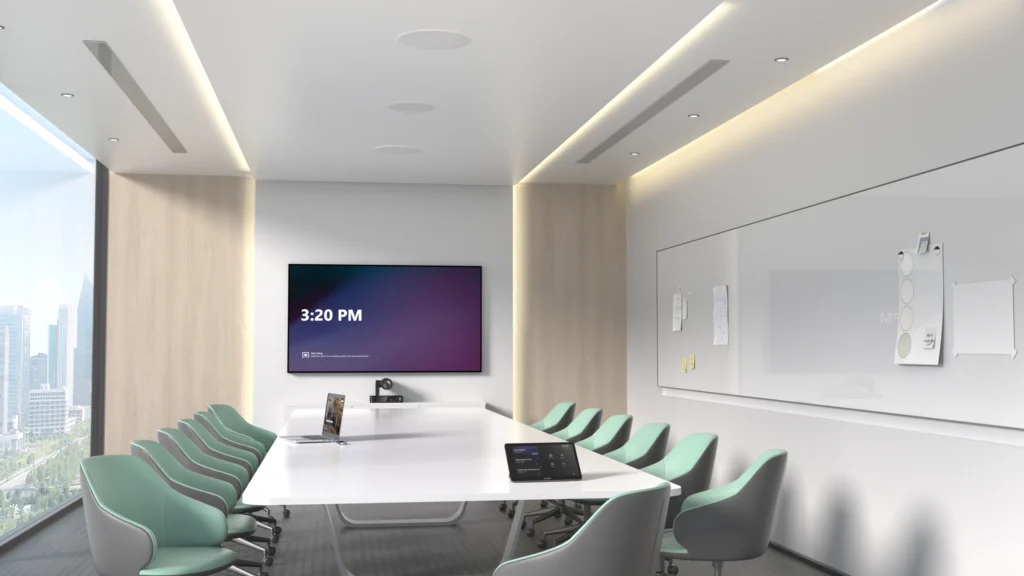
Although technology develops rapidly, it doesn’t always follow that your meeting room requires an upgrade after every couple of years. Companies believe that once the equipment gets old, they have no other choice but to replace it. It’s not always so. There are solutions that will help make an improvement in the performance of your meeting rooms at the same time saving money. Start by Looking at How Your Rooms Are Used Instead of considering the purchase of new equipment right away, it may be better to pause for a moment and evaluate how your conference rooms currently operate. Your organisation may have adopted a hybrid work model, you may have redesigned the layout of your office and/or you may be using video conferencing more frequently than you were when the equipment was originally installed. Not Every Component Needs Replacing Meeting room systems are composed of various technologies used together, like cameras, microphones, screens, speakers and room control systems. It does not necessarily mean that the whole system is done for when one component is performing sub-optimally. Take for instance, changing out a sub-optimal camera to a more advanced one equipped with artificial intelligence or enhancing your microphones. Think Beyond Today’s Requirements If you have any upgrade plans, it is worthwhile thinking about where your organisation might be headed in the next few years. Will hybrid meetings continue to be prevalent? Is your workforce going to increase? Is there going to be any office refurbishment work? In many cases, opting for technology that will keep up with your organisation’s growth makes more sense than simply upgrading like-for-like. Get Expert Advice Before Making a Decision Every workplace is different and there’s no universal answer when it comes to upgrading meeting room technology. A professional review can identify which parts of your system are still performing well, which components would benefit from an upgrade and where your budget will have the greatest impact. Final Thoughts Replacing your meeting room technology isn’t always the most cost-effective solution. By reviewing your existing systems and understanding how your meeting spaces are used, you can make informed decisions that improve performance while extending the life of your current investment. Whether that means upgrading individual components or planning a full refurbishment, taking the time to assess your options will help ensure your technology continues to support your business for years to come. If you’re considering upgrading your meeting room technology or would like advice on improving your existing AV setup, our team is here to help. Get in touch to discuss your requirements and we’ll help you find the solution that’s right for your business.
Is It Time to Upgrade Your Meeting Room Technology?
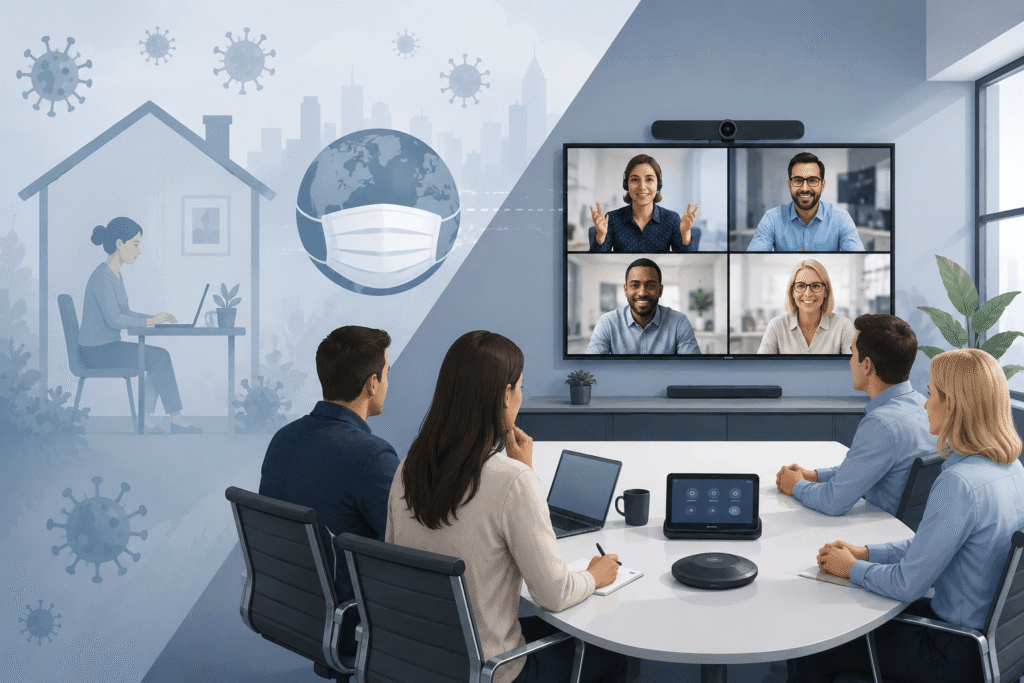
When the COVID-19 pandemic began, businesses had to change how they communicated almost overnight. With employees working from home and face-to-face meetings no longer possible, video conferencing quickly became essential. Many companies rushed to invest in cameras, microphones, interactive displays and wireless presentation systems so their teams could continue meeting and collaborating. These solutions solved an immediate problem, but they were often purchased quickly and without the opportunity to consider how meeting rooms would be used in the longer term. Several years on, it is worth asking: is the technology you invested in still right for your business? The answer may not require a complete replacement. In many cases, upgrading certain components can improve performance and extend the life of the existing system. Why Are Businesses Reviewing Their Meeting Room Technology Now? The technology installed during the pandemic helped businesses respond to an urgent need. However, working practices have continued to evolve. Hybrid meetings are now a permanent part of working life for many organisations. Employees expect meetings to start on time, equipment to be easy to use and remote participants to be able to see and hear everyone clearly. Camera technology, intelligent audio, room controls and AI-powered meeting features have also improved significantly. Older systems may still work, but they may not provide the experience employees and customers now expect. Rather than simply asking whether your meeting room technology still works, consider whether it still supports how your business operates today. Five Signs It Might Be Time For an Upgrade 1. Meetings regularly start with technical problemsIf users frequently experience connection issues, audio problems or equipment that needs restarting, your meeting room technology should be reviewed. 2. Remote participants struggle to see or hear clearlyPoor audio is one of the biggest barriers to effective hybrid meetings. If remote attendees cannot follow conversations or see the people speaking, upgrading the microphones, speakers or cameras could make a significant difference. 3. Your meeting rooms are being used differentlyA room originally equipped for occasional video calls may now be used every day for hybrid meetings, training sessions and customer presentations. If the use of the space has changed, the technology may no longer be suitable. 4. Your system does not support newer featuresOlder hardware may not support the latest Microsoft Teams, Zoom or Google Meet functionality. This could limit access to features such as intelligent camera framing, voice recognition, meeting transcription and AI-generated recaps. 5. Staff avoid certain meeting roomsIf employees consistently choose one room because it is easier or more reliable, this is often a sign that the technology experience is inconsistent across your workplace. An Upgrade Does Not Always Mean a Complete Replacement A common misconception is that ageing meeting room technology must be removed and replaced entirely. In reality, many businesses can achieve a significant improvement by upgrading specific components, such as the camera, microphones, display or wireless presentation system. A professional meeting room assessment can identify what is still performing well, where the main problems are and how your budget can be spent most effectively. Final Thoughts If your meeting room technology was purchased quickly during the pandemic, now is a good time to review whether it still meets the needs of your business. Working practices have changed, employee expectations have increased and meeting room technology has moved forward. Reviewing how your rooms are currently used can help you improve collaboration, create a better experience for remote participants and extend the life of your existing equipment. Whether you are considering a full meeting room refurbishment or a smaller technology upgrade, Rapid Technologies can assess your current setup and recommend the most suitable next steps. Contact our team to arrange a meeting room technology review.
Why Are More Businesses Choosing Divisible Meeting Rooms?
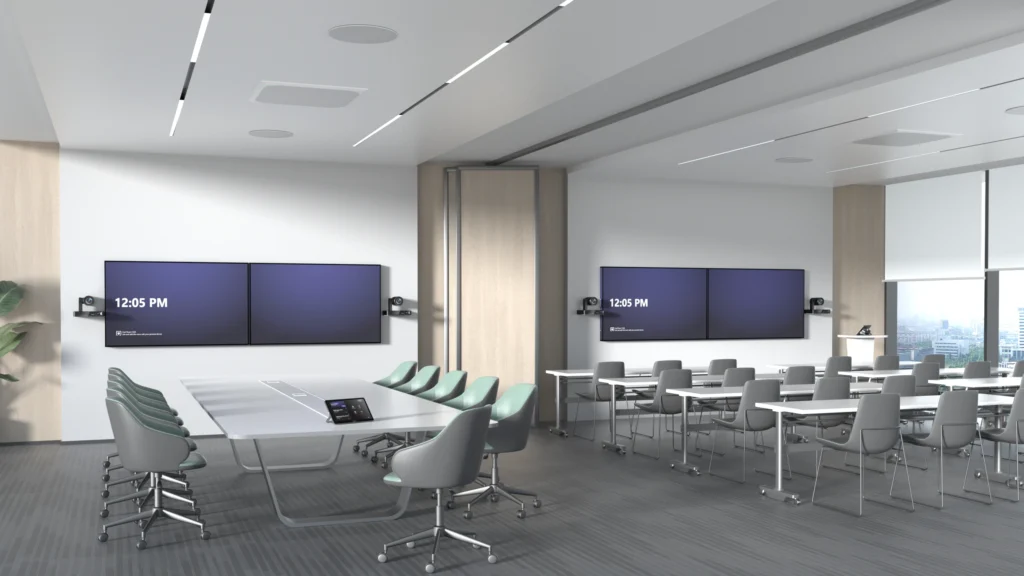
What Is a Divisible Meeting Room? A divisible meeting room is designed to operate as two or more independent meeting spaces, with the ability to open the partition and combine them into one larger room when additional capacity is needed. For example, a business might have two meeting rooms that each accommodate around 15 people. During a normal working day, both rooms can host separate meetings at the same time, each with its own display, camera, microphones, speakers and Microsoft Teams Rooms or Zoom Rooms system. When the partition is opened, the rooms can be combined into a larger space for 40–50 people. This creates a much more practical setting for: It gives businesses the flexibility of two everyday meeting rooms without losing the ability to bring larger groups together when required. How Does a Divisible Video Conferencing Room Work? The challenge is not simply opening and closing a movable wall. The video conferencing, audio and control systems must also respond correctly to each room configuration. When the partition is closed, each room should operate independently. Users should be able to start their own Microsoft Teams or Zoom meeting without affecting the room next door. Each space needs its own camera coverage, microphones, speakers, displays and meeting room controls. When the partition is opened, the technology can be programmed to switch into combined mode. The cameras, microphones, speakers and displays across both spaces then work together as one larger video conferencing system.From the user’s point of view, this should be straightforward. They select whether the rooms are being used separately or together or the system detects the partition position and the correct equipment becomes available. Two Independent Teams Rooms or Zoom Rooms In divided mode, each room can provide a complete and consistent meeting experience. Both rooms can have their own: This allows two groups to hold separate hybrid meetings at the same time, with no crossover between the audio, video or content being shared. Good acoustic separation is equally important. The partition and audio system must be designed to prevent conversations and sound from one room disrupting meetings in the other. One Larger Combined Meeting Space In combined mode, the rooms need to function as a single, joined-up environment. The system can use cameras positioned throughout the space to provide suitable coverage of presenters and attendees. Additional microphones and carefully positioned commercial audio ensure that people can be heard clearly, including those joining remotely. Content can also be shown across multiple displays so that everyone in the expanded room has a clear view. For larger training sessions or town halls, presenters may also use wireless microphones to address the room and take questions from the audience. The aim is to make the combined space feel like a purpose-built large meeting room, rather than two smaller rooms that have simply had the wall removed. Why are Businesses Investing in Divisible Meeting Rooms? Office space needs to support a wider range of activities than it once did. A business may need several smaller rooms for everyday meetings but still require a larger space for company-wide communication, training and collaboration. A divisible room provides both options within the same footprint. It can help a business: A combined space can also make larger hybrid meetings more inclusive by providing better camera coverage and clearer audio for remote attendees. The Technology Needs To Be Planned From The Start One of the most common mistakes is treating the AV system as an addition after the room layout and partition have already been agreed. A movable wall may divide the physical space, but the technology determines whether both room configurations are genuinely usable. Camera positions, microphone coverage, speaker zones, displays, cabling, acoustics and control systems all need to be considered during the design stage. The Microsoft Teams Rooms or Zoom Rooms setup must also be designed carefully so that users have a simple and consistent way to operate the system in both divided and combined modes. Planning the technology early allows it to be properly coordinated with the partition, furniture, lighting, network and room booking requirements. Creating a Genuinely Flexible Meeting Environment A well-designed divisible meeting room gives businesses the best of both worlds: two smaller rooms for everyday video conferencing and one larger space for training, town halls and staff meetings. The key is making sure the technology is as flexible as the room itself. Users should not need technical knowledge to change configurations or work out which microphones, cameras and displays to use. Rapid Technologies can design and install divisible Microsoft Teams Rooms and Zoom Rooms that operate independently or combine into a larger video conferencing space. If you are planning an office fit-out, refurbishment or meeting room upgrade, involve our AV team early to ensure the complete system works seamlessly in every room configuration.
Bringing Live Sport to Saint Paul’s Market with Innovative AV Technology
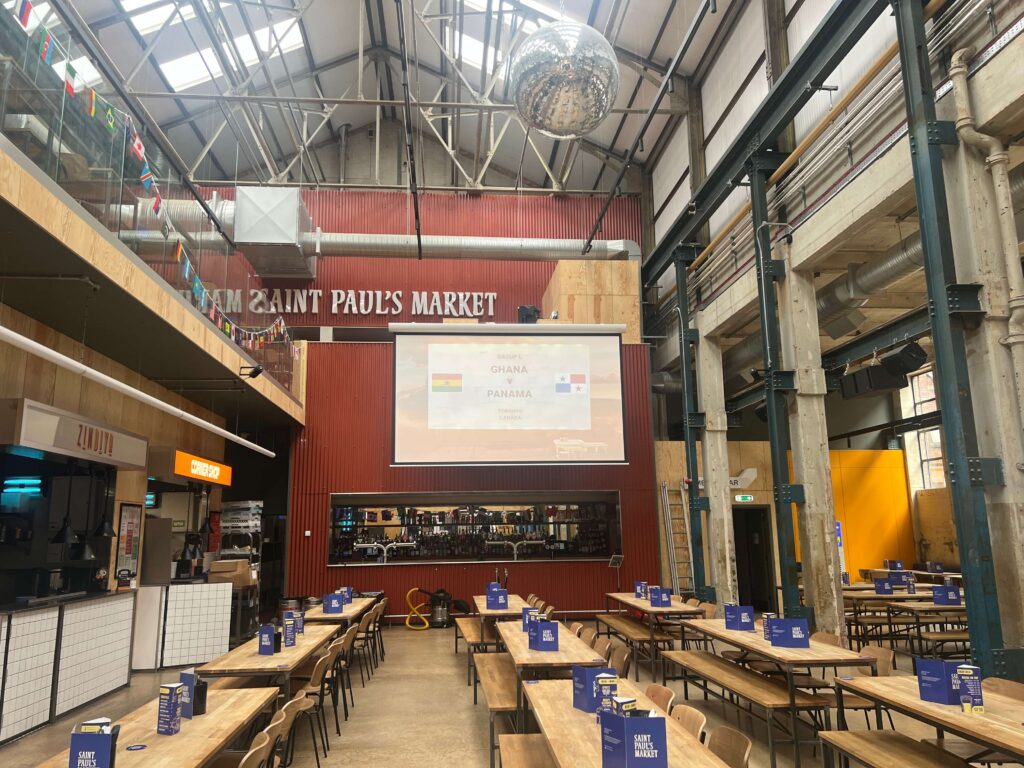
About the Organisation Rapid delivered a bespoke commercial projector installation for Saint Paul’s Market in Birmingham, overcoming a complex AV challenge that three other companies were unable to solve. The result is a flexible projection solution that enables the venue to host live sport, presentations and large-scale events throughout the year. After approaching several AV companies without success, Saint Paul’s Market partnered with Rapid to find a solution that others believed wasn’t possible. The Challenge Saint Paul’s Market wanted to install a large-format display that would allow customers throughout the venue to enjoy major sporting events, including the recent FIFA World Cup. However, the building’s high ceilings, industrial architecture and abundance of natural daylight made the project particularly challenging. There was no obvious location to mount a projector that would provide clear visibility across the venue, while maintaining the aesthetic and functionality of the space. Having already been turned away by three other AV companies, the venue needed an experienced technology partner capable of designing a bespoke solution and they needed it delivered quickly in time for the tournament. Delivering the Commercial Projector Installation Working closely with the client, we carried out a detailed assessment of the venue, analysing ceiling height, throw distance, viewing angles and ambient light levels to determine the most effective projection solution. To overcome the challenging environment, we specified a high-brightness projector exceeding 10,000 lumens, ensuring bright, vibrant images even in the naturally lit space. The projector was mounted to the venue’s DJ booth using a bespoke installation designed to provide the necessary ventilation while maintaining safe operation. To maximise flexibility, the projector was installed on a motorised lift, allowing it to be electronically lowered for events and retracted when not in use, preserving the open feel of the venue. Following the success of the initial installation, the client returned to Rapid to install a second display, ensuring customers seated throughout the venue could enjoy the same viewing experience. The Impact Saint Paul’s Market now benefits from a flexible, professional display solution that supports a wide range of events throughout the year. The venue can stream live sporting events directly through Apple TV, creating an immersive viewing experience for customers, while the motorised projection system also provides the flexibility to host presentations, live entertainment and private events with ease. Most importantly, Rapid delivered a solution where others couldn’t, overcoming complex installation challenges to provide a reliable, high-quality system tailored specifically to the venue’s unique environment. Project Summary By combining careful planning, specialist engineering and the right projection technology, Rapid delivered a bespoke AV solution that transformed how Saint Paul’s Market hosts live events. The result is a versatile, future-ready system that enhances the customer experience while providing the flexibility to support the venue’s evolving needs.